Use these command-line utilities to expedite the deployment of Workspace ONE Intelligence Hub on your Linux devices. The ws1HubUtil application is located at the agent binary directory under the installation directory: /opt/omissa/ws1-hub/bin.
The ws1HubUtil installed on the Linux device includes the following commands:
- Version
- Enroll
- Beacon
- Sample
- Sensor
- Service
- Upgrade
- Unenroll
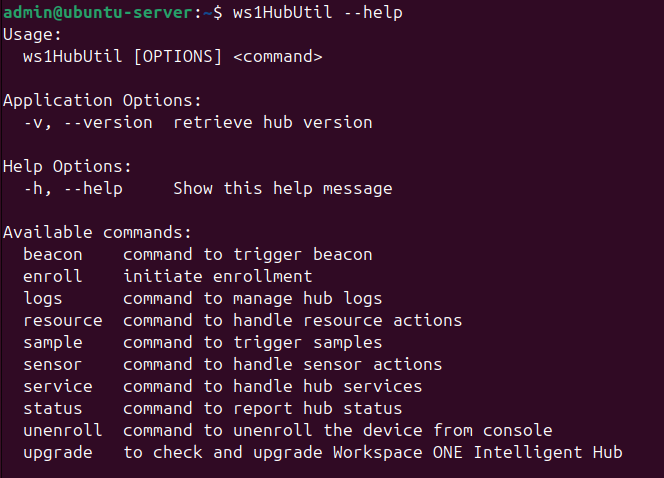
Version: The version argument prints the hub installed version.
./ws1HubUtil –version or ./ws1HubUtil -v
Enroll: The enroll command handles the hub native enrollment process.
./ws1HubUtil enroll --user xyz --password xyz --group xyz --server https://<host>.com
| Command-line argument | Short Name | Value | Description | Comments |
|---|---|---|---|---|
| --user | -u | Enrollment user string | User credentials generated from console. | Prompts you to enter the details if the command line argument is not entered. |
| --password | -p | Password String | Credentials generated from console. | Prompts you to enter the details if the command line argument is not entered. |
| --group | -g | Organization group String | Organization groupID to which device must enroll. | Prompts you to enter the details if the command line argument is not entered. |
| --token | -t | Enrollment Token | Used for token based enrollment | Used if OG enrollment type is set for token. Token can also be passed as --group field. |
| --server | -s | Server String | **Fully qualified** Workspace ONE UEM console URL to which the device has to enroll. The URL is typically the device services URL not necessarily the console URL. For example, https://ds135.awmdm.com. | Prompts you to enter the details if the command line argument is not entered. |
| --proxy-server | N/A | Proxy server info | Use during enrollment if hub needs to use proxy info (optional) | Provide the proxy server info using this argument. If enrollment goes through a proxy, |
| --proxy-user | N/A | Proxy username | Username for the proxy (optional) | Applicable if --proxyserver is provided and if proxy requires username and password. |
| --proxy-password | N/A | Proxy password | Password for the proxy (optional) | Applicable if --proxyserver is provided and if proxy requires username and password. |
Beacon: The beacon command notifies the hub scheduler to trigger the beacon (heartbeat) immediately.
./ws1HubUtil beacon
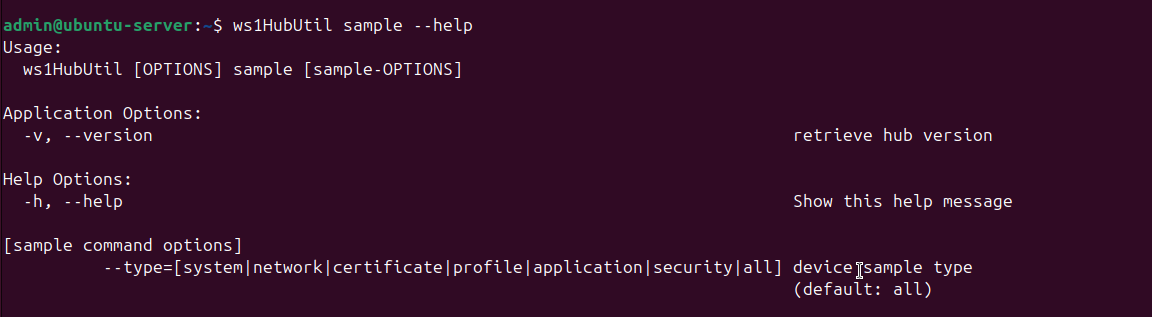
Sample: The sample command notifies the hub scheduler to trigger a sample immediately. By default, the hub collects and sends all the samples. Also, a customized sample can be triggered. The allowed sample types are - system, network, certificate, profile, or all.
./ws1HubUtil sample [will trigger all sample].
Or
./ws1HubUtil sample --type [system], [network], [certificate], [profile], or [all].
| Command-line argument | Value | Description | Comments |
|---|---|---|---|
| --type | system | network | certificate | profile | all | Notify scheduler to trigger sample immediately | Queues a sample job to the hub scheduler with the specified sample type. |
| Sample Type | Samples Collected |
|---|---|
| system | System | memory | device capability |
| network | Network adapter | WLAN |
| certificate | certificate |
| profile | profile |
| all | All of the sample types |
Sensor: The Sensor command notifies hub scheduler to trigger a Workspace ONE sensor sync immediately. The sync fetches the latest Workspace ONE sensors, runs periodic Workspace ONE sensors, and transmits the latest values from the device to the Workspace ONE UEM console.
./ws1HubUtil sensor --sync
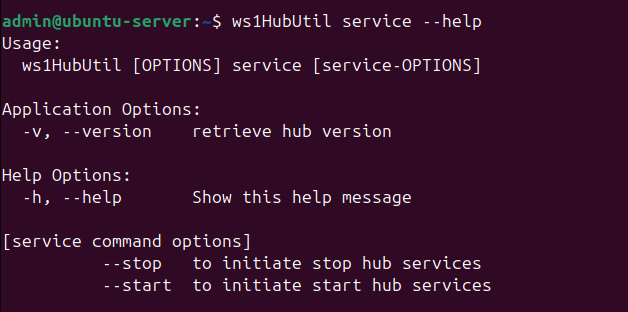
Service: The Service command provides the option to either start or stop hub services running on the device.
./ws1HubUtil service [--start] or [--stop]
| Command options long name | value | description | comments |
|---|---|---|---|
| --start | N/A | Starts hub services | |
| --stop | N/A | Stops hub services |
Unenroll: The Unenroll command sends a request to the Workspace ONE UEM console to unenroll the device. This command requires connectivity to Workspace ONE UEM to execute. If the command is successful, the Workspace ONE UEM console marks the device as unenrolled and sends a successful response back to the device. After the response, the Hub is uninstalled on the device. If not successful, then the device logs captures the failure and the device remains enrolled.
./ws1HubUtil unenroll
If preferred, you can manually uninstall the device side. Unenroll the device before the uninstall command is used device side.
Examples:
Debian:
$ sudo apt remove workspaceone-intelligent-hub
RPM for Fedora:
$ sudo zypper remove workspaceone-intelligent-hub
Tarball:
$ sudo /opt/Workspace-ONE-Intelligent-Hub/uninstall.sh
Upgrade: The upgrade command queues an upgrade hub check job with the hub scheduler. The job checks if a newer version of Workspace ONE Intelligent Hubis available. If a newer version is available, the latest package is fetched and the Hub is upgraded.
./ws1HubUtil upgrade
Was this page helpful?