必要なドメインにコンピュータ アカウントを作成する権限を持つドメイン アカウントを 1 つ以上追加します。
-
[設定] > [ドメイン] に移動します。
-
[ドメイン アカウント] で [追加] をクリックします。
-
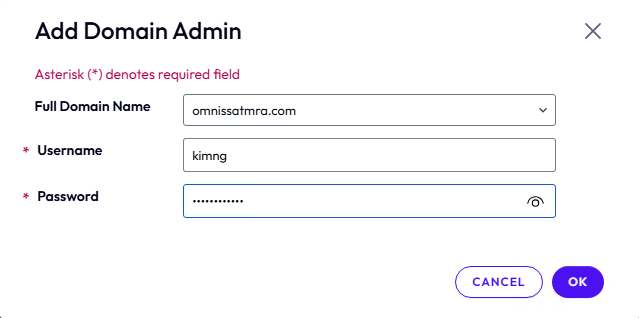
ドメイン管理者の認証情報(ユーザー名とパスワード)を入力します。
-
[OK] をクリックして保存します。
Was this page helpful?
2026 年 11 月 18 日
必要なドメインにコンピュータ アカウントを作成する権限を持つドメイン アカウントを 1 つ以上追加します。
[設定] > [ドメイン] に移動します。
[ドメイン アカウント] で [追加] をクリックします。
ドメイン管理者の認証情報(ユーザー名とパスワード)を入力します。
[OK] をクリックして保存します。
Was this page helpful?