To use the Unified Access Gateway REST API to configure certificate settings, or to use the PowerShell scripts, you must convert the certificate into PEM-format files for the certificate chain and the private key, and you must then convert the .pem files to a one-line format that includes embedded newline characters.
When configuring Unified Access Gateway, there are three possible types of certificates you might need to convert.
- You should always install and configure a TLS/SSL server certificate for the Unified Access Gateway appliance.
- If you plan to use smart card authentication, you must install and configure the trusted CA issuer certificate for the certificate that will be put on the smart card.
- If you plan to use smart card authentication, it is recommended to install and configure a root certificate for the signing CA for the SAML server certificate that is installed on the Unified Access Gateway appliance.
For all of these types of certificates, you perform the same procedure to convert the certificate into a PEM-format file that contains the certificate chain. For TLS/SSL server certificates and root certificates, you also convert each file to a PEM file that contains the private key. You must then convert each .pem file to a one-line format that can be passed in a JSON string to the Unified Access Gateway REST API.
Prerequisites
- Verify that you have the certificate file. The file can be in PKCS#12 (
.p12or.pfx) format or in Java JKS or JCEKS format. - Familiarize yourself with the
opensslcommand-line tool that you will use to convert the certificate. To see the cipher list format, you can search for "openssl cipher string" in a web browser. - If the certificate is in Java JKS or JCEKS format, familiarize yourself with the Java
keytoolcommand-line tool to first convert the certificate to.p12or.pksformat before converting to.pemfiles.
Procedure
-
If your certificate is in Java JKS or JCEKS format, use
keytoolto convert the certificate to.p12or.pksformat.Important: Use the same source and destination password during this conversion.
-
If your certificate is in PKCS#12 (
.p12or.pfx) format, or after the certificate is converted to PKCS#12 format, useopensslto convert the certificate to.pemfiles.For example, if the name of the certificate is
mycaservercert.pfx, use the following commands to convert the certificate:openssl pkcs12 -in mycaservercert.pfx -nokeys -out mycaservercert.pem openssl pkcs12 -in mycaservercert.pfx -nodes -nocerts -out mycaservercertkey.pem openssl rsa -in mycaservercertkey.pem -check -out mycaservercertkeyrsa.pem -
Edit
mycaservercert.pemand remove any unnecessary certificate entries. It should contain the one SSL server certificate followed by any necessary intermediate CA certificates and root CA certificate. -
Use the following UNIX command to convert each
.pem(certificate and key) file to a value that can be passed in a JSON string to the Unified Access Gateway REST API:awk 'NF {sub(/\r/, ""); printf "%s\\n",$0;}' cert-name.pemIn this example,
cert-name.pemis the name of the certificate file. The certificate looks similar to this example.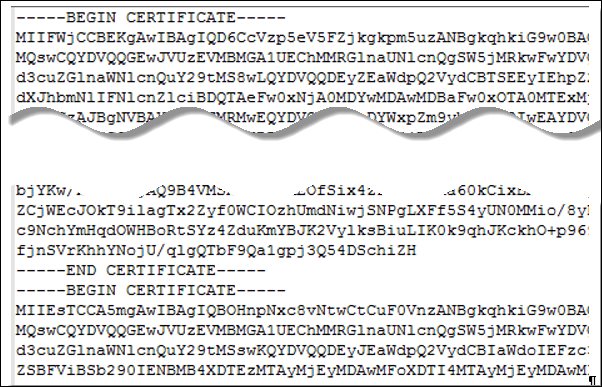
The new format places all the certificate information on a single line with embedded newline characters. If you have an intermediate certificate, that certificate must also be in one-line format and add to the first certificate so that both certificates are on the same line.
Results
You can now configure certificates for Unified Access Gateway by using these .pem files with the PowerShell scripts. Alternatively, you can create and use a JSON request to configure the certificate.
What to do next
You can update the default self-signed certificate with a CA-signed certificate. For smart card certificates, see Certificate and smart card authentication.
Was this page helpful?