You onboard Horizon pods to your first-gen Horizon Cloud tenant environment to use cloud-hosted services with it. Such cloud-hosted services include features and workflows for your cloud-connected pods. Both use cases require use of the Horizon® Cloud Connector™, the component that connects your Horizon deployment with the Horizon Cloud cloud-based management plane. That connection both applies the subscription license to the cloud-connected Horizon pod and enables control plane services with that pod, such as the Cloud Monitoring Service (CMS) and Universal Broker.
Attention: Use this page solely when you have access to a first-gen tenant environment in the first-gen control plane. As described in KB-92424, the first-gen control plane has reached end of availability (EOA). See that article for details.
As of August 2022, Horizon Cloud is generally available and has its own Using Horizon Cloud documentation set available here.
An indication of which environment you have, Horizon Cloud or first-gen, is the pattern that appears in the browser's URL field after you log in to your environment and see the Horizon Universal Console label. For a Horizon Cloud environment, the console's URL address contains a portion like /hcsadmin/. The first-gen console's URL has a different section (/horizonadmin/).
For a high-level description of the process of first-time onboarding any of the supported pod types to the first-gen cloud control plane, see Horizon Cloud Deployments and Onboarding Pods.

Important: Your tenant's pod fleet can consist of both Horizon Cloud pods and Horizon pods. All pods in the pod fleet must have line of sight to the same set of Active Directory domains. If your fleet already has Horizon Cloud pods and you are connecting your first Horizon pod, you must ensure that the Horizon pod will be able to have line of sight to the Active Directory domains that are already registered with your Horizon Cloud tenant at the time you connect that Horizon pod. For details about the Active Directory domain registration workflow, see Performing Your First Active Directory Domain Registration in the Horizon Cloud Environment.
Activating Subscription Licenses and Enabling Cloud-Hosted Services for Horizon Pods Using the Horizon Cloud Connector
The Horizon Cloud Connector is a virtual appliance that bridges a Horizon pod with Horizon Cloud. Horizon Cloud Connector is required for using cloud-hosted services with your Horizon pod including Horizon subscription licenses, health status dashboard, and Horizon Help Desk Tool.
-
Horizon subscription licenses
Horizon is available in different editions as part of a subscription, per Horizon subscription SaaS editions feature matrix.
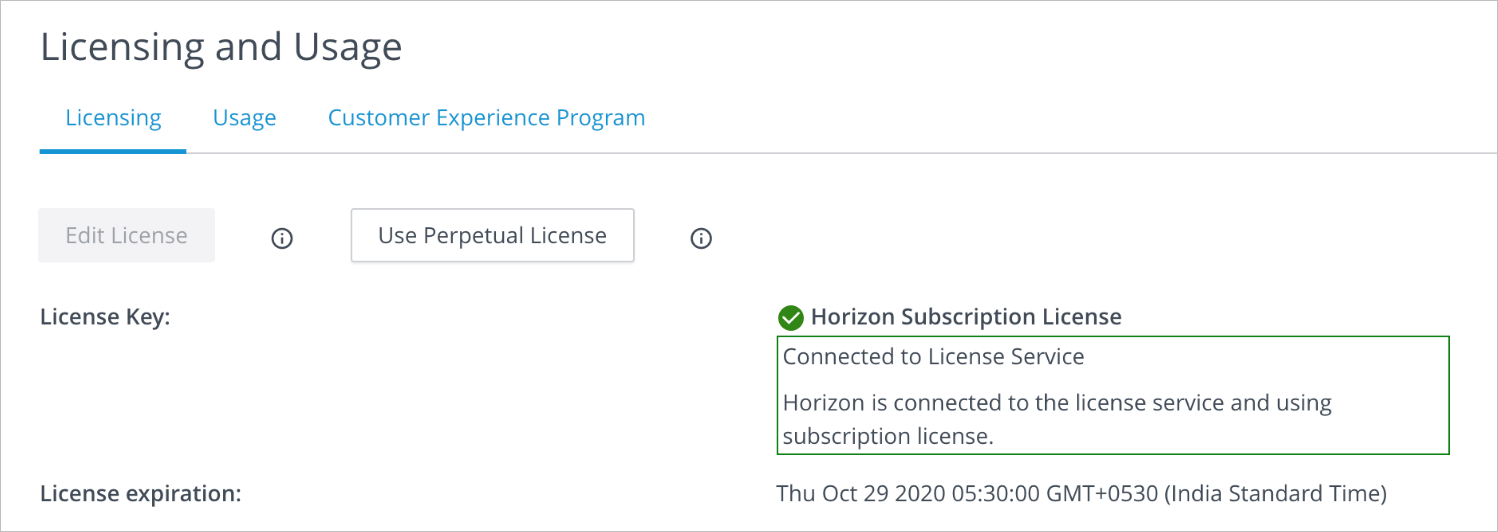
Depending on subscription type, supported Horizon deployments include in the data center, private cloud, and supported public clouds such as VMC on AWS. When you have completed the steps using the Horizon Cloud Connector to onboard your pod to Horizon Cloud, the service activates your subscription license. Within 48 hours, the License Service applies the license to that cloud-connected pod, and a message is displayed in the Horizon administration’s licensing screen:
You must have an active Customer Connect account to purchase a Horizon license using the Customer Connect site. You then receive a Welcome email with the link to download the Horizon Cloud Connector as an OVA file.
When you deploy the Horizon Cloud Connector virtual appliance from vSphere Web Client, you pair the Cloud Connector with the Connection Server of the pod you want to connect to Horizon Cloud to use subscription licenses or cloud-hosted services. As part of the pairing process, the Horizon Cloud Connector virtual appliance connects the Connection Server to Horizon Cloud to manage the Horizon subscription license and other services. With a Horizon subscription license, you do not need to manually enter a Horizon license key for the Horizon product activation. However, you do need to use the license keys to activate supporting components such as vSphere, App Volumes, and others.
-
Cloud-hosted services for Horizon pods
After your Horizon pod is added to your cloud-connected pod fleet, you can leverage the cloud-hosted services, features, and workflows that Horizon Cloud provides, such as the Cloud Monitoring Service (CMS). See Introducing the Cloud Monitoring Service's Unified Visibility, Health Monitoring, and Help Desk Features Provided in Horizon Cloud.
Was this page helpful?