設定好 Omnissa Access 後,您可移至 [應用裝置組態設定] 頁面更新目前的組態,以及監控虛擬應用裝置的系統資訊。
程序
-
登入 Omnissa Access Console。
-
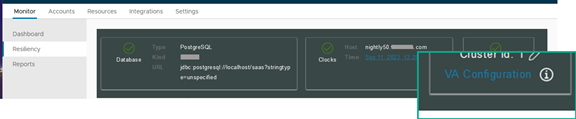
選取監控 > 復原能力。
-
按一下您要設定之服務節點的 VA 組態,並使用管理員使用者密碼登入。
-
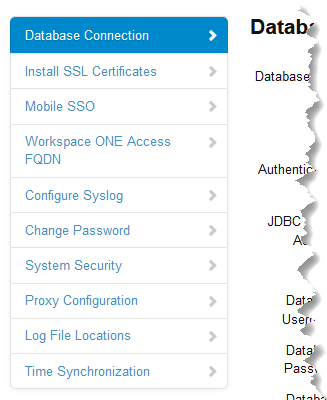
在左窗格中,選取要檢視或編輯的頁面。
後續步驟
確認您進行的設定或更新已生效。
Was this page helpful?
2026 年 7 月 16 日
設定好 Omnissa Access 後,您可移至 [應用裝置組態設定] 頁面更新目前的組態,以及監控虛擬應用裝置的系統資訊。
登入 Omnissa Access Console。
選取監控 > 復原能力。
按一下您要設定之服務節點的 VA 組態,並使用管理員使用者密碼登入。
在左窗格中,選取要檢視或編輯的頁面。
確認您進行的設定或更新已生效。
Was this page helpful?