To uninstall the Horizon Client on Mac, do one of the following:
- From the Horizon Client's menu bar, click Horizon Client > Uninstall Horizon Client.
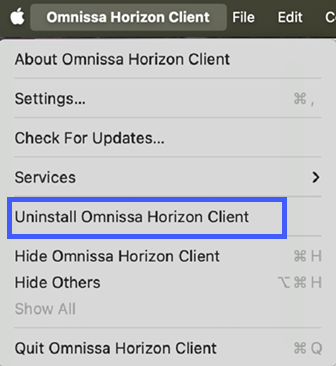
- In the Finder window, double-click the Uninstall Horizon Client app to begin the uninstallation. This app is located within the .dmg file that was originally used to install the Horizon Client.
Then, enter the administrator user name and password.
Starting with 2503, the uninstaller checks for any running instances of the application before proceeding. If instances are detected, there will be a prompt to close them manually.
Was this page helpful?