After completing the migration process from VMware NSX for vSphere (NSX-V) to VMware NSX (NSX-T), you must perform some final setup tasks.
Prerequisites
Before you begin, verify that you have completed all the steps of the Migration Coordinator, as described in Migrate Horizon DaaS to NSX-T.
NSX-T Setup Tasks
-
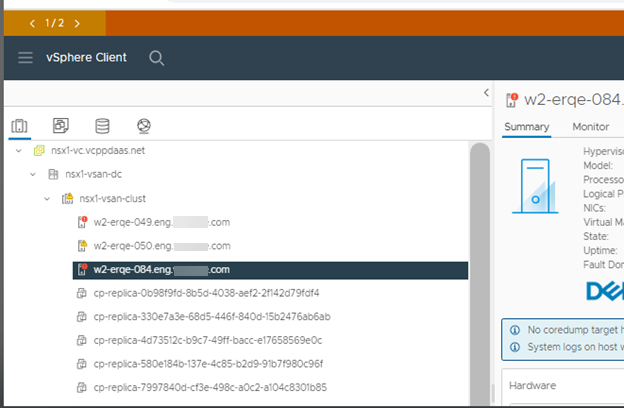
To prepare for the removal of VIBs, put the applicable ESXi hosts into maintenance mode.
-
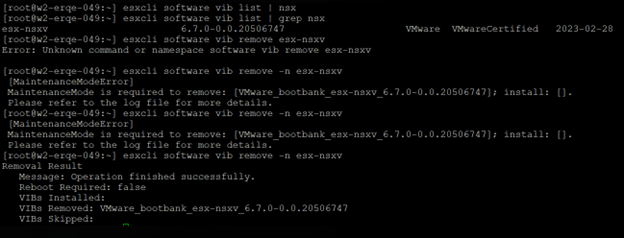
Go to the secondary vCenter Server and remove the VIBs on all ESXi hosts on the secondary NSX manager.
-
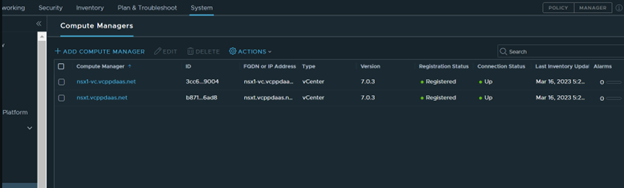
Open the primary NSX-T manager and add the secondary vCenter Server to the compute manager.
-
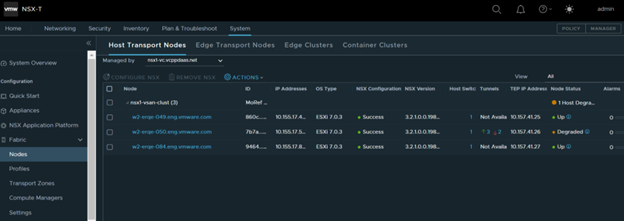
Go to the Nodes page to check the hosts and configure the transport nodes
-
Remove the NSX-V setup on the primary and secondary managers.
Was this page helpful?