このトピックでは、[アクティビティ] ページおよび [通知] ページの要素を変更する方法について説明します。
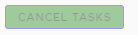
[タスクをキャンセル] ボタン
ボタンを変更するには、組織内の両方のテナント アプライアンスで stylesForCustomBranding.css ファイルを編集します。
$> /usr/local/desktone/release/dt-platform-20_2_0/deploy/dt-tenant-node-20.2.0-bin/horizonadmin/static/css/production/ stylesForCustomBranding.css
次の例のように、コードの該当するセクションを編集して、border-color、background-color、color を含む行をコメント解除し、色の値を変更します。
#zedd-content .modal-footer .btn {
     border-color: blue !important;
     background-color:  green !important;
     color: black  !important;  }
次の図は、上記に示すようにコードが編集されたときのページの外観の例を示しています。
| 変更前 | 変更後 |
|---|---|
 |  |
並べ替えアイコン
並べ替えアイコンを変更するには、組織内の両方のテナント アプライアンスで stylesForCustomBranding.css ファイルを編集します。
$> /usr/local/desktone/release/dt-platform-20_2_0/deploy/dt-tenant-node-20.2.0-bin/horizonadmin/static/css/production/ stylesForCustomBranding.css
次の例のように、コードの該当するセクションを編集して、color を含む行をコメント解除し、色の値を変更します。
  #zedd-content .datagrid-column-title .sort-icon {
     color: orange !important;  }
次の図は、上記に示すようにコードが編集されたときのページの外観の例を示しています。
| 変更前 | 変更後 |
|---|---|
 |  |
アクティブなタブ
アクティブなタブの外観を変更するには、組織内の両方のテナント アプライアンスで stylesForCustomBranding.css ファイルを編集します。
$> /usr/local/desktone/release/dt-platform-20_2_0/deploy/dt-tenant-node-20.2.0-bin/horizonadmin/static/css/production/ stylesForCustomBranding.css
次の例のように、コードの該当するセクションを編集して、background、box-shadow、-webkit-box-shadow を含む行をコメント解除し、色の値を変更します。
  #zedd-content .nav .nav-link {
     background:  pink !important;
     box-shadow: 0 -3px 0 red inset !important;
     -webkit-box-shadow: 0 -3px 0 red inset !important;
次の図は、上記に示すようにコードが編集されたときのページの外観の例を示しています。
| 変更前 | 変更後 |
|---|---|
 |  |
チェック ボックス
チェック ボックスを変更するには、組織内の両方のテナント アプライアンスで stylesForCustomBranding.css ファイルを編集します。
$> /usr/local/desktone/release/dt-platform-20_2_0/deploy/dt-tenant-node-20.2.0-bin/horizonadmin/static/css/production/ stylesForCustomBranding.css
次の例のように、コードの該当するセクションを編集して、background を含む行をコメント解除し、色の値を変更します。
.clr-checkbox-wrapper input[type=checkbox]:checked + label::before {
   background: red !important;
次の図は、上記に示すようにコードが編集されたときのページの外観の例を示しています。
| 変更前 | 変更後 |
|---|---|
 |  |
ページの背景
背景を変更するには、組織内の両方のテナント アプライアンスで stylesForCustomBranding.css ファイルを編集します。
$> /usr/local/desktone/release/dt-platform-20_2_0/deploy/dt-tenant-node-20.2.0-bin/horizonadmin/static/css/production/ stylesForCustomBranding.css
次の例のように、コードの該当するセクションを編集して、background を含む行をコメント解除し、色の値を変更します。
#zedd-content {
    /*! Activity and Notification (all clarity pages) Background */
    .main-container {
        background: red !important;
    }
このページは役に立ちましたか?