To configure high availability for Password (cloud deployment), RSA SecurID (cloud deployment), and RADIUS (cloud deployment) authentication, you set up multiple connector instances that include the User Auth service.
When you configure the connector-based authentication methods in the Integrations > Connector Authentication Methods page in the Omnissa Access console, you link the connectors to the authentication method. If one of the connector instances is unavailable, authentication will still be available.
Prerequisites
- Deploy multiple connector instances with the User Auth service installed and configured. The User Auth service must be configured identically on each connector.
- Configure connector-based authentication methods.
Procedure
-
In the Omnissa Access console, navigate to the Integrations > Connector Authentication Methods page, select the authentication method you want to set up for high availability, and click Edit.
-
In the Select Service Hosts section, enable the connectors to use for high availability.
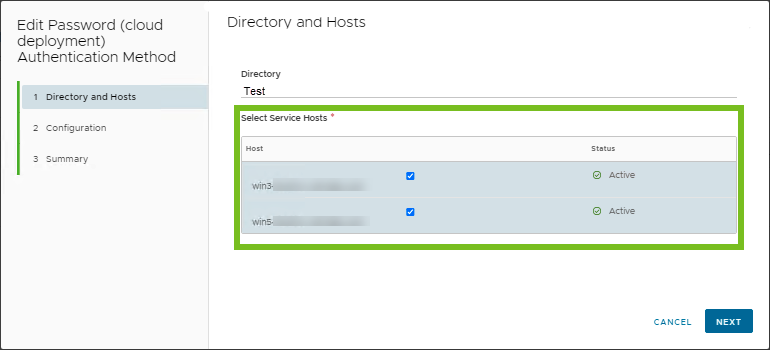
-
Click Next to navigate to the Summary page and click Save.
Was this page helpful?