全域代理程式限制設定可以限制使用者使用某些 Windows 代理程式版本進行連線,並向使用者提供訊息。
在 Horizon Console 中,您可以透過導覽至設定 > 全域設定 > 代理程式限制設定來設定全域代理程式限制設定。
受限制的 Windows 代理程式版本不允許擁有工作階段,而且會在 Horizon Client 中顯示錯誤訊息。
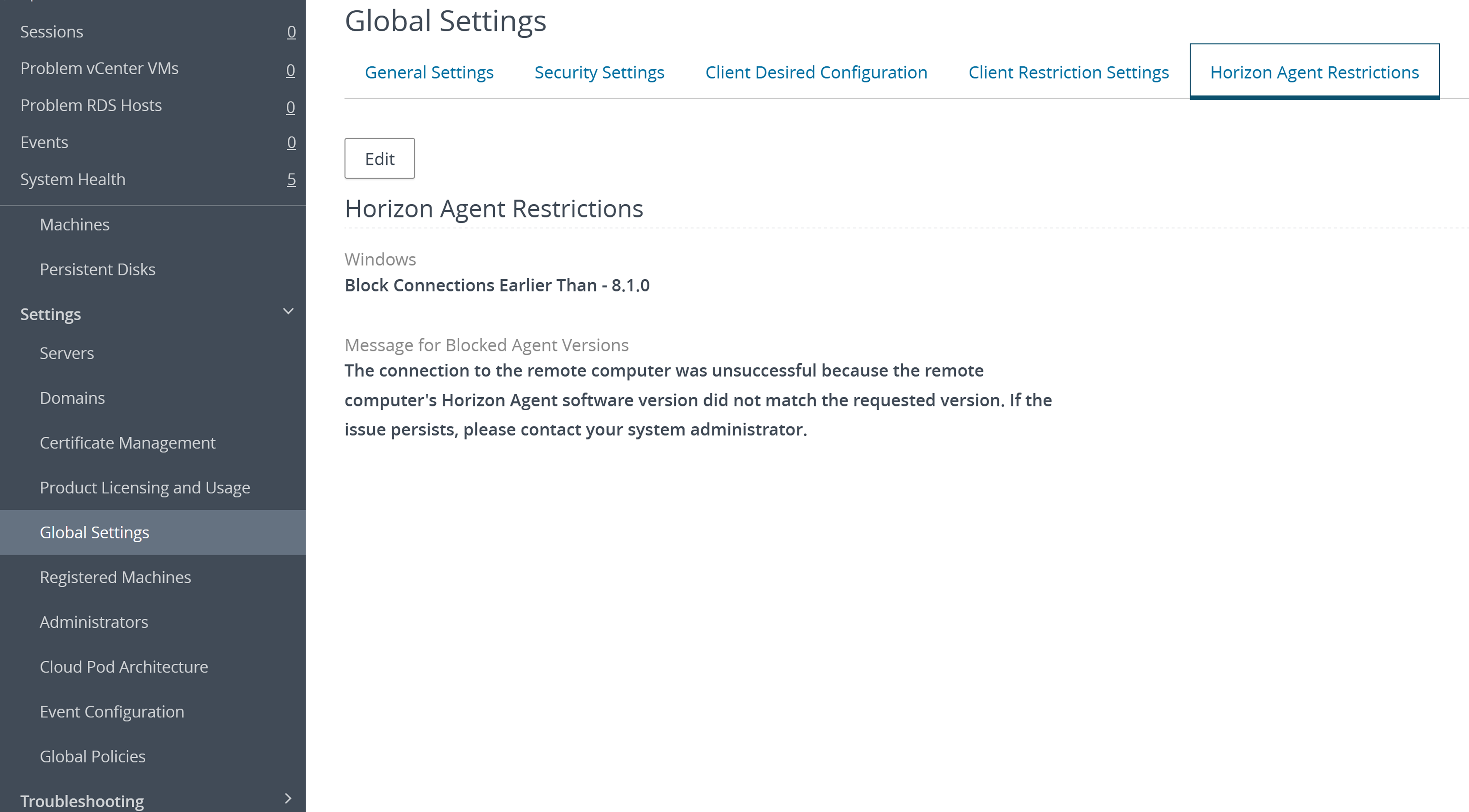
全域代理程式限制設定
| 設定 | 說明 |
|---|---|
| 封鎖來自代理程式版本的連線 | 針對封鎖來自代理程式版本的連線設定,請選取下列其中一個選項:
|
| 用於已封鎖代理程式版本的訊息 | 輸入當使用者使用受限制的 Horizon Agent 版本進行連線時,要向其顯示的訊息。如果您未設定自訂訊息,預設訊息為「The connection to the remote computer was unsuccessful because the remote computer's Horizon Agent software version did not match the requested version. If the issue persists, please contact your system administrator.」。 |
此頁面對您有幫助嗎?