Most sections of the INI file are identical to the standard INI settings for Unified Access Gateway as supported for vSphere, Hyper-V and Azure deployments.
- Create an Amazon AWS account if you do not have one.
- Create an access key and obtain the values of the Access Key ID and Secret Access Key. See AWS PowerShell user guide.
- For security reasons, the .INI file will not contain the Access Key ID or Secret Access Key so they must be stored in a named or default profile. These AWS credentials are used to crypto graphically sign the corresponding web service requests used by the PowerShell script. They should be stored in a named profile which is then referenced from the .INI file. See the AWS PowerShell user guide. Use the following PowerShell example command to store these values in a profile named
awsCredentialProfile:
Set-AWSCredential-AccessKey AKIAIOSFODNN7EXAMPLE `
-SecretKey wJalrXUtnFEMI/K7MDENG/bPxRfiCYEXAMPLEKEY `
-StoreAs awsCredentialProfile
For AWS EC2 deployments, the following settings in the General section are not used.
- diskMode
- ds
- folder
- netInternet
- netManagementNetwork
- netmask0
- netmask1
- netmask2
- netBackendNetwork
- source
- target
- All of the IPv4 settings
- All of the IPv6 settings
For AWS EC2 there is a new group called AmazonEC2 that contains all of the settings specific to AWS EC2.
Settings specific to AWS EC2
| Group | Value | Example | Description |
|---|---|---|---|
| AmazonEC2 | amiId | | The ID of the registered Amazon Machine Image (AMI). This represents the Unified Access Gateway appliance image uploaded to Amazon S3. Note: This is a mandatory setting. |
credentialProfileName | | The name of the credential profile containing the Access Key ID and Secret Access Key. This must be setup first. If this is not set, the deployment will attempt to use the default credential profile. | |
instanceType | | AWS EC2 instance type. Default is c4.large. | |
ipv6AddressCount0
ipv6AddressCount1
ipv6AddressCount2 | | Count of IPv6 addresses used by EC2 DHCP for eth0, eth1, or eth2.
This is an optional field. If IPv6 is required for any NIC, the value of this field can be set to 1.
If no value is specified, then the default is 0 for each NIC. | |
region | | The AWS EC2 region name. Note: This is a mandatory setting. | |
privateIPAddress0
privateIPAddress1
privateIPAddress2 | |
Optional fixed IP address used by EC2 DHCP for eth0, eth1, or eth2. Normally this is not required but can be used to set a static private IP address instead of a dynamic one. | |
publicIPId0
publicIPId1
publicIPId2 | |
AWS EC2 Elastic Public IP address ID associated with eth0, eth1 or eth2. This setting is optional for each NIC. | |
securityGroupId0
securityGroupId1
securityGroupId2 | |
AWS EC2 Security Group ID associated with eth0, eth1, or eth2. The same Security Group can be used by multiple Unified Access Gateway instances.
Note: This setting is optional.
If this setting is not specified, the default EC2 Security Group will be used. | |
subnetId0
subnetId1
subnetId2 | |
AWS EC2 Subnet ID associated with eth0, eth1 or eth2.
|
INI File Definition Example
[General]
name=UAG12
deploymentOption=twonic

[AmazonEC2]

# authentication

credentialProfileName=awsCredentialProfile

# type, region and image

instanceType=c4.large
region=us-east-2
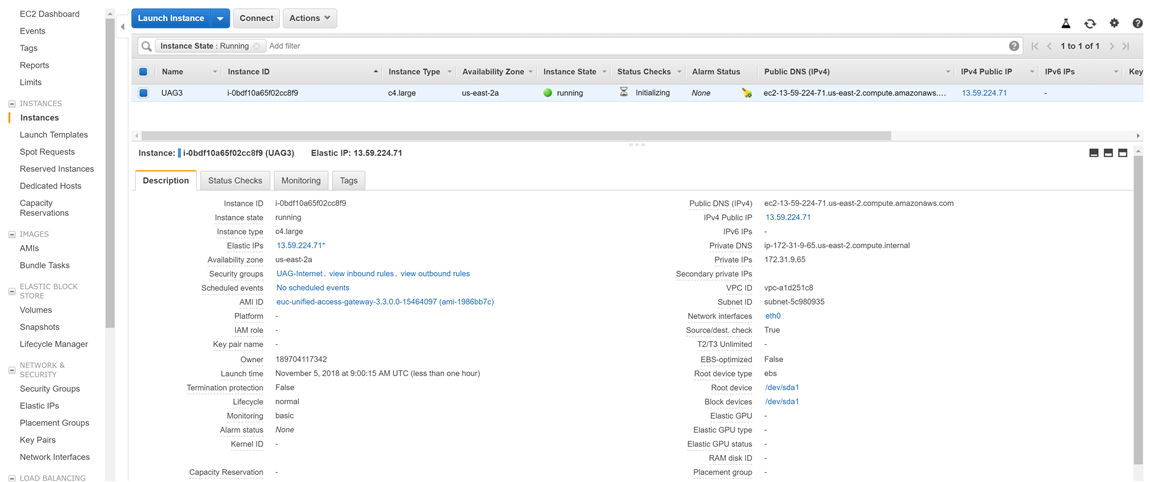
amiId=ami-1986bb7c

# eth0 settings
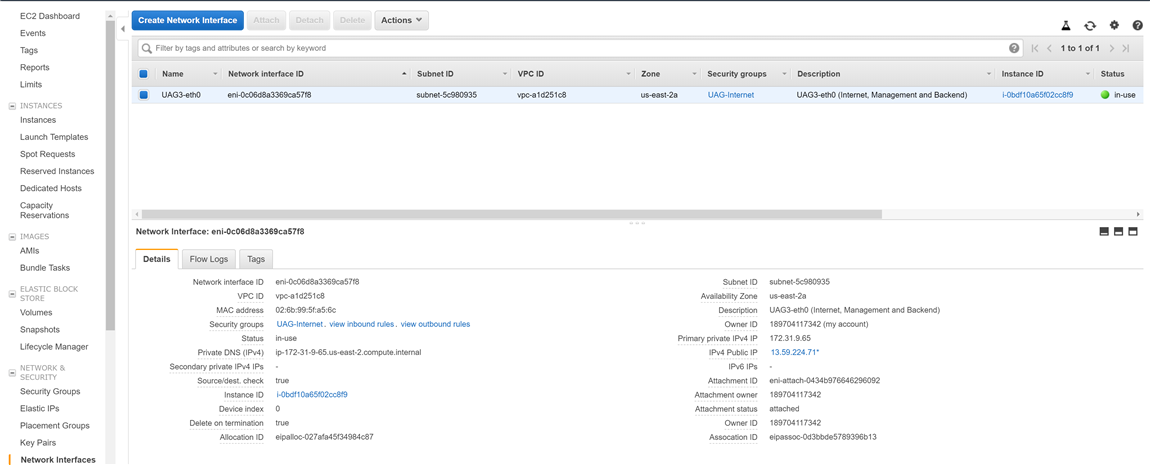
subnetId0=subnet-5c980935
securityGroupId0=sg-00877c33656609407
publicIPId0=eipalloc-027afa45f34984c87

# eth1 settings
subnetId1=subnet-1f2743c2
Was this page helpful?