本主题介绍了如何修改活动以及通知页面上的元素。
取消任务按钮
要修改按钮,请编辑组织内两个租户设备中的 stylesForCustomBranding.css 文件:
$> /usr/local/desktone/release/dt-platform-20_2_0/deploy/dt-tenant-node-20.2.0-bin/horizonadmin/static/css/production/ stylesForCustomBranding.css
通过取消包含 border-color、background-color 和 color 的行的注释,然后更改颜色值,编辑相应的代码部分,使其类似于以下示例。
#zedd-content .modal-footer .btn {
     border-color: blue !important;
     background-color:  green !important;
     color: black  !important;  }
下图显示了按照上述方式对代码进行编辑后的页面外观示例。
| 之前 | 之后 |
|---|---|
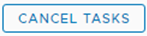 | 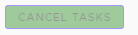 |
排序图标
要修改排序图标,请编辑组织内两个租户设备中的 stylesForCustomBranding.css 文件:
$> /usr/local/desktone/release/dt-platform-20_2_0/deploy/dt-tenant-node-20.2.0-bin/horizonadmin/static/css/production/ stylesForCustomBranding.css
通过取消包含 color 的行的注释,然后更改颜色值,编辑相应的代码部分,使其类似于以下示例。
  #zedd-content .datagrid-column-title .sort-icon {
     color: orange !important;  }
下图显示了按照上述方式对代码进行编辑后的页面外观示例。
| 之前 | 之后 |
|---|---|
 |  |
“活动”选项卡
要修改活动选项卡的外观,请编辑组织内两个租户设备中的 stylesForCustomBranding.css 文件:
$> /usr/local/desktone/release/dt-platform-20_2_0/deploy/dt-tenant-node-20.2.0-bin/horizonadmin/static/css/production/ stylesForCustomBranding.css
通过取消包含 background、box-shadow 和 -webkit-box-shadow 的行的注释,然后更改颜色值,编辑相应的代码部分,使其类似于以下示例。
  #zedd-content .nav .nav-link {
     background:  pink !important;
     box-shadow: 0 -3px 0 red inset !important;
     -webkit-box-shadow: 0 -3px 0 red inset !important;
下图显示了按照上述方式对代码进行编辑后的页面外观示例。
| 之前 | 之后 |
|---|---|
 |  |
复选框
要修改复选框,请编辑组织内两个租户设备中的 stylesForCustomBranding.css 文件:
$> /usr/local/desktone/release/dt-platform-20_2_0/deploy/dt-tenant-node-20.2.0-bin/horizonadmin/static/css/production/ stylesForCustomBranding.css
通过取消包含 background 的行的注释,然后更改颜色的值,编辑相应的代码部分,使其类似于以下示例。
.clr-checkbox-wrapper input[type=checkbox]:checked + label::before {
   background: red !important;
下图显示了按照上述方式对代码进行编辑后的页面外观示例。
| 之前 | 之后 |
|---|---|
 |  |
页面背景
要修改背景,请编辑组织内两个租户设备中的 stylesForCustomBranding.css 文件:
$> /usr/local/desktone/release/dt-platform-20_2_0/deploy/dt-tenant-node-20.2.0-bin/horizonadmin/static/css/production/ stylesForCustomBranding.css
通过取消包含 background 的行的注释,然后更改颜色的值,编辑相应的代码部分,使其类似于以下示例。
#zedd-content {
    /*! Activity and Notification (all clarity pages) Background */
    .main-container {
        background: red !important;
    }
此页面对您有帮助吗?