This topic describes how to modify the logo in the client user interface.
Note: Before you begin, add any custom files you are using for this process to the DEPLOYMENT_PATH/appblast/webclient/icons-15736269/custom. If you have not yet created this folder, see Create a Folder For Blast Portal Branding Images.
To change the logo color, edit the style.app-htmlaccess.f33ab3196e5a180e246e.css file in both tenant appliances in the organization:
$> /usr/local/desktone/release/dt-platform-20_2_0/deploy/dt-tenant-node-20.2.0-bin/appblast/webclient/style.app-htmlaccess.f33ab3196e5a180e246e.css
Edit the section of this file as shown below. The text that has been edited is BRANDING_RESOURCE_PATH/logo-horizon.png.
.navbar-brand {
   background: url(BRANDING_RESOURCE_PATH/logo-horizon.png) no-repeat;
   background-size: 161px 40px;
   display: block;
   width: 161px;
   height: 40px;
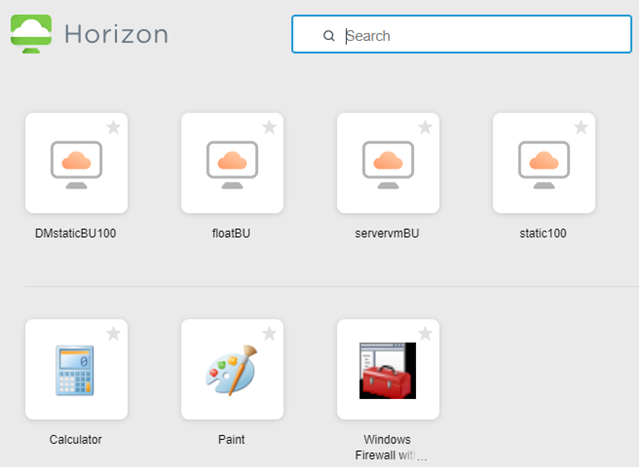
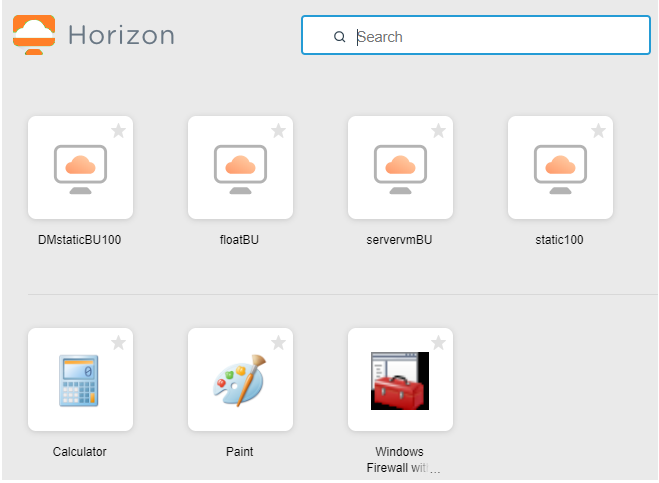
The following images show an example of the appearance of the page before and after these changes.
| BEFORE | AFTER |
|---|---|
 |  |
Was this page helpful?