This topic describes how to modify the side navigation panel of the Administration Console.
To modify the navigation panel, edit the stylesForCustomBranding.css file in both tenant appliances in the organization:
$> /usr/local/desktone/release/dt-platform-20_2_0/deploy/dt-tenant-node-20.2.0-bin/horizonadmin/static/css/production/ stylesForCustomBranding.css
Edit the appropriate section of code so that it is similar to the following example, uncommenting the commented code and changing the color code for background-color.
.main-container .content-container .clr-vertical-nav {
    background-color: #e8f4ff;
The following images show an example of the appearance of the page when the code has been edited as shown above.
| BEFORE | AFTER |
|---|---|
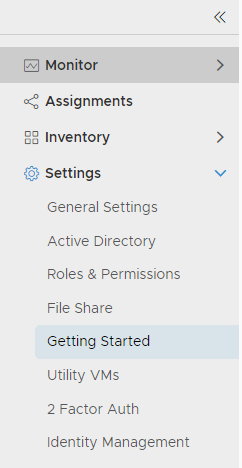 | 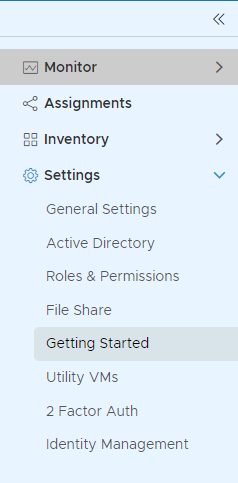 |
Was this page helpful?