When all your first-gen Horizon Cloud on Microsoft Azure pods have had their migrations finalized, you exit migration. If you do not exit the migration within seven days of migrating your last first-gen pod, a banner will appear in the Horizon Universal Console to prompt you to exit migration.
Prerequisites
Ensure that all pods from all tenants have been migrated to the Horizon Cloud environment. Once you exit migration, you will not be able to migrate any additional Horizon Cloud on Microsoft Azure pods.
Procedure
-
In the Horizon Cloud Console, click Migration in the left-hand navigation.
-
On the banner that indicates that all pods have been migrated and prompts the next steps, click Yes to exit migration.
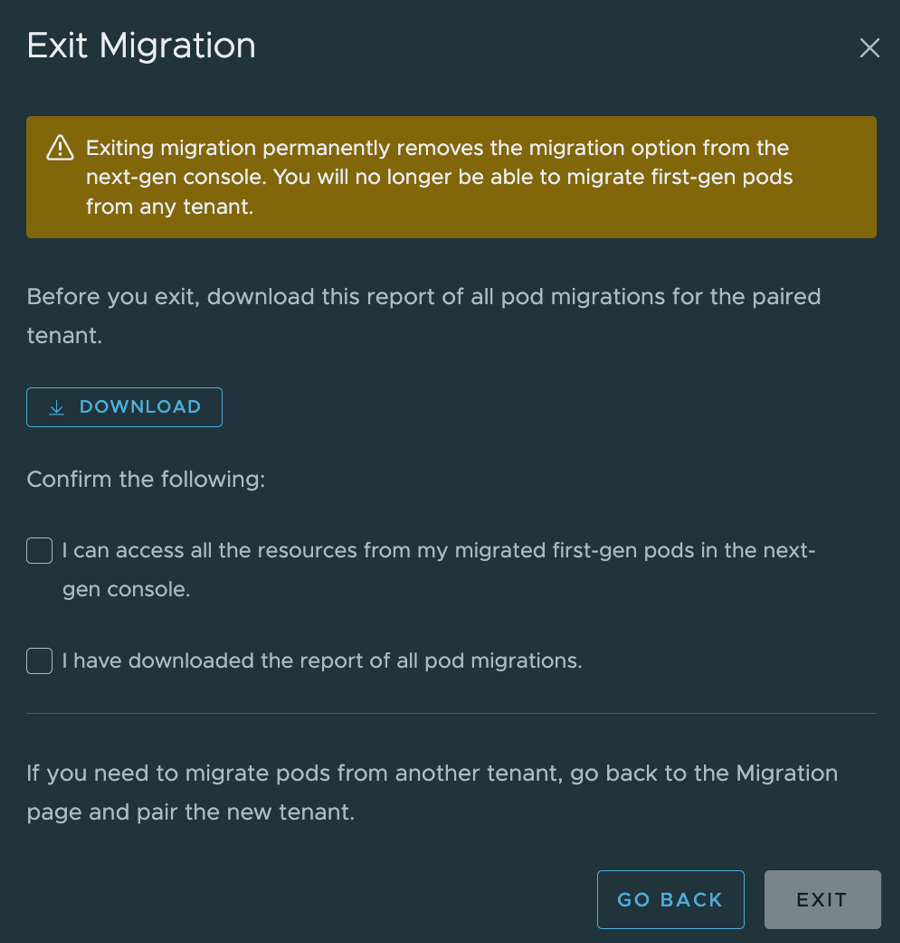
The Exit Migration window appears.
-
Click Download to download a report of all pod migrations from the paired tenant.
Tip: Downloading the reports is a best practice to have pod migration history.
-
Select the confirmation check boxes.
-
Click Exit.
Results
At this point, you have exited migration. From this point, the console no longer displays the Migration screen.
Was this page helpful?