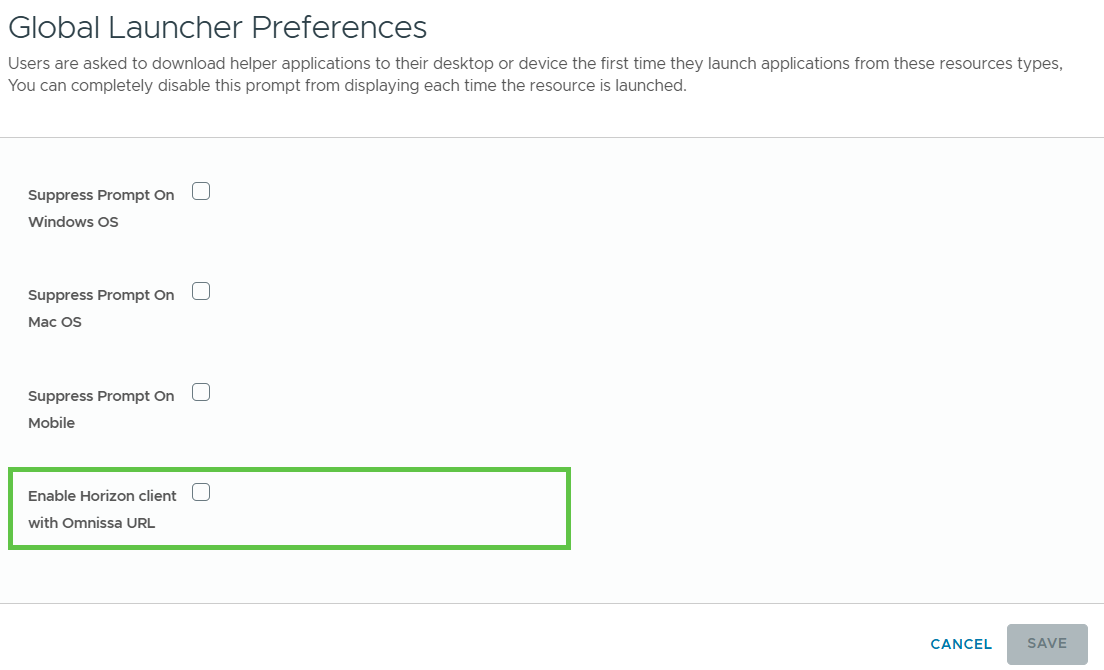
Beginning with the Omnissa Access 24.12 release, the launch URL for launching Horizon apps from the Intelligent Hub portal or app has changed. The new option in the Omnissa Access console, Enable Horizon Client with Omnissa URL, determines whether app launch supports the new URL only or supports both old and new URLs.
-
If the Enable Horizon Client with Omnissa URL option is enabled, Horizon app launch uses the new launch URL. Only Horizon Client versions 24.12 and later support the new URL. App launch will fail with earlier Horizon Client versions.
-
If the Enable Horizon Client with Omnissa URL option is deselected, Horizon app launch works with both the old and new launch URLs. You can continue to use older versions of the Horizon Client in addition to version 24.12.
By default, the option is deselected.
Procedure
-
In the Omnissa Access console, select Resources > Global Launcher Preferences.
-
Click Edit.
-
Select or deselect the Enable Horizon client with Omnissa URL check box according to your preferences.
-
Click Save.
Was this page helpful?