When you want to sync updates from your enterprise directory to your Omnissa Access directory immediately, you can start the sync process manually. Directories that do not have a sync schedule set must always be synced manually.
Procedure
-
Select Integrations > Directories.
-
Click the directory you want to sync.
-
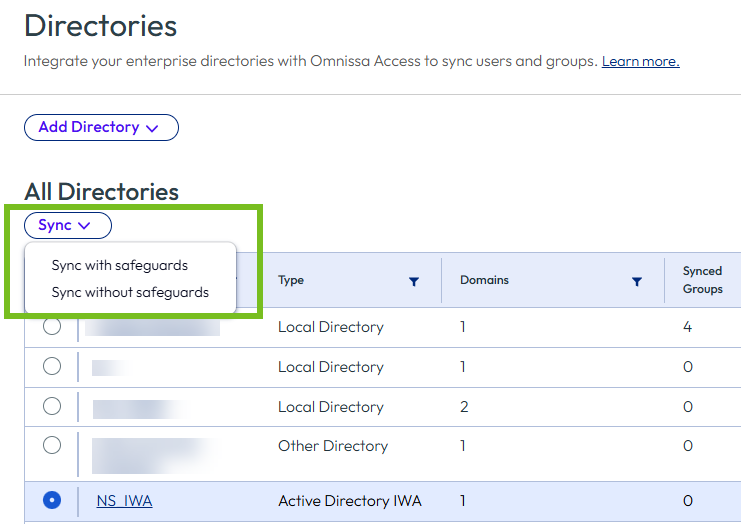
From the Sync drop-down menu, select Sync with safeguards or Sync without safeguards.
The Sync with safeguards option enforces the safeguard limits that are currently set for the directory on the Sync Settings > Safeguards tab and fails if the changes exceed the limits. Sync without safeguards ignores the safeguards limits.
Results
The sync process starts in the background. If a large number of users and groups are being synced, the process can take some time to finish. You can continue using the console in the meantime.
What to do next
After the sync process is complete, you can view the sync status in the Sync Logs tab. See Monitoring Directory Sync and Viewing Sync Logs for more information.
Was this page helpful?