Omnissa Identity Service 可透過 Omnissa Connect 以雲端服務形式提供;若採用內部部署,則會作為隨附於 Omnissa Access 內部部署 26.07 版及更新版本的服務提供。若要開始使用,請參閱適用於您的部署案例的區段。
開始使用 Omnissa Identity Service - 雲端服務
如果您是透過 Omnissa Connect 上線,則您的 Workspace ONE 訂閱將自動包含 Omnissa Identity Service。在 Omnissa Connect 主控台中,左側窗格的使用者管理選項會將您引導至 Omnissa Identity Service 介面。
**重要:**在開始使用 Omnissa Identity Service 前,請先檢閱使用 Omnissa Identity Service 設定使用者佈建與身分識別聯盟。
先決條件
-
您在 Omnissa Connect 中擁有一個新的組織。Omnissa Identity Service 僅適用於新的組織。
**附註:**對於現有組織,在特定情境下可進行移轉。請參閱將目錄移轉至 Omnissa Identity Service (有限可用性) 說明文件以取得現有組織的相關資訊。 -
您已透過 Omnissa Connect 上線 Omnissa 服務。如需上線程序的相關資訊,請參閱 Omnissa Connect 說明文件。
-
您必須具備以下角色:
- Omnissa Connect 組織角色:組織管理員或組織擁有者
- Omnissa Access 服務中的 Super Admin (超級管理員) 角色
- 您計劃要與 Omnissa Identity Service 整合之各項服務中的管理員角色。若為 Workspace ONE UEM,則需具備主控台管理員角色或具備同等權限的自訂角色。
如需有關 Omnissa Connect 中角色指派的相關資訊,請參閱管理員。
程序
-
登入 Omnissa Connect 主控台。
-
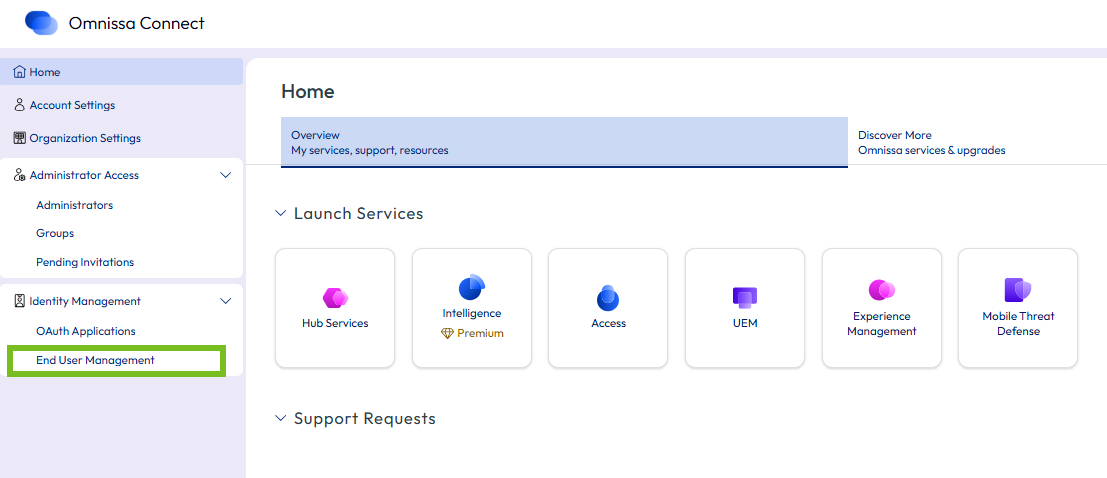
從左側窗格選取身分識別管理 > 使用者管理。
-
在 [使用者管理] 頁面上,按一下啟動使用者管理以啟動 Omnissa Identity Service。
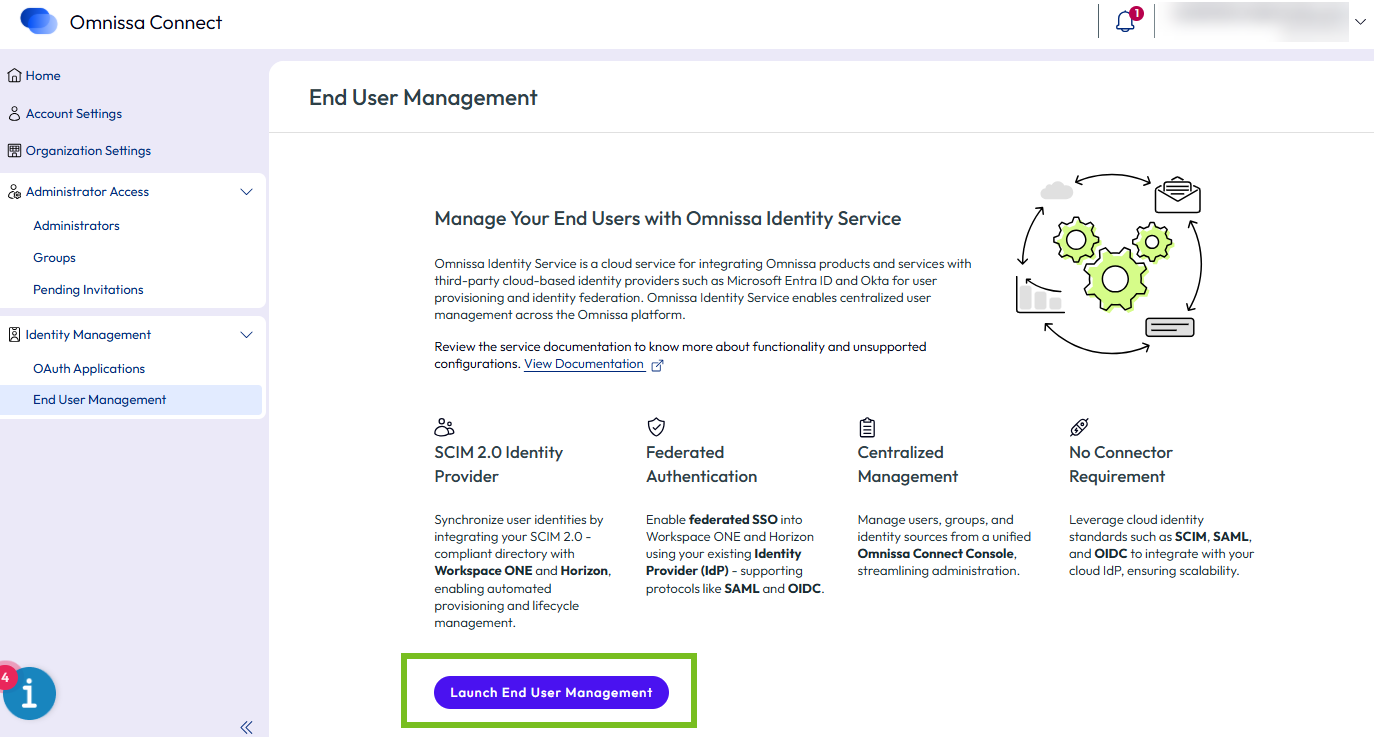
Omnissa Identity Service 會在瀏覽器的新索引標籤中開啟。
-
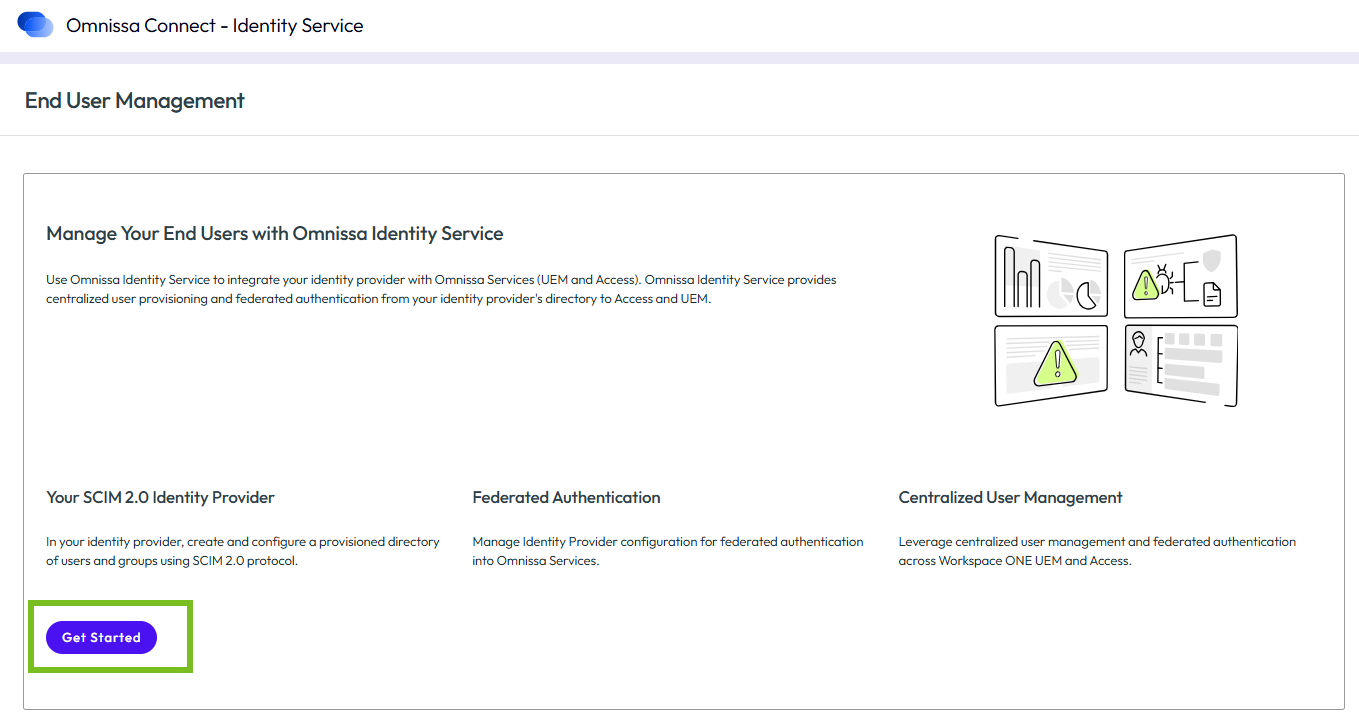
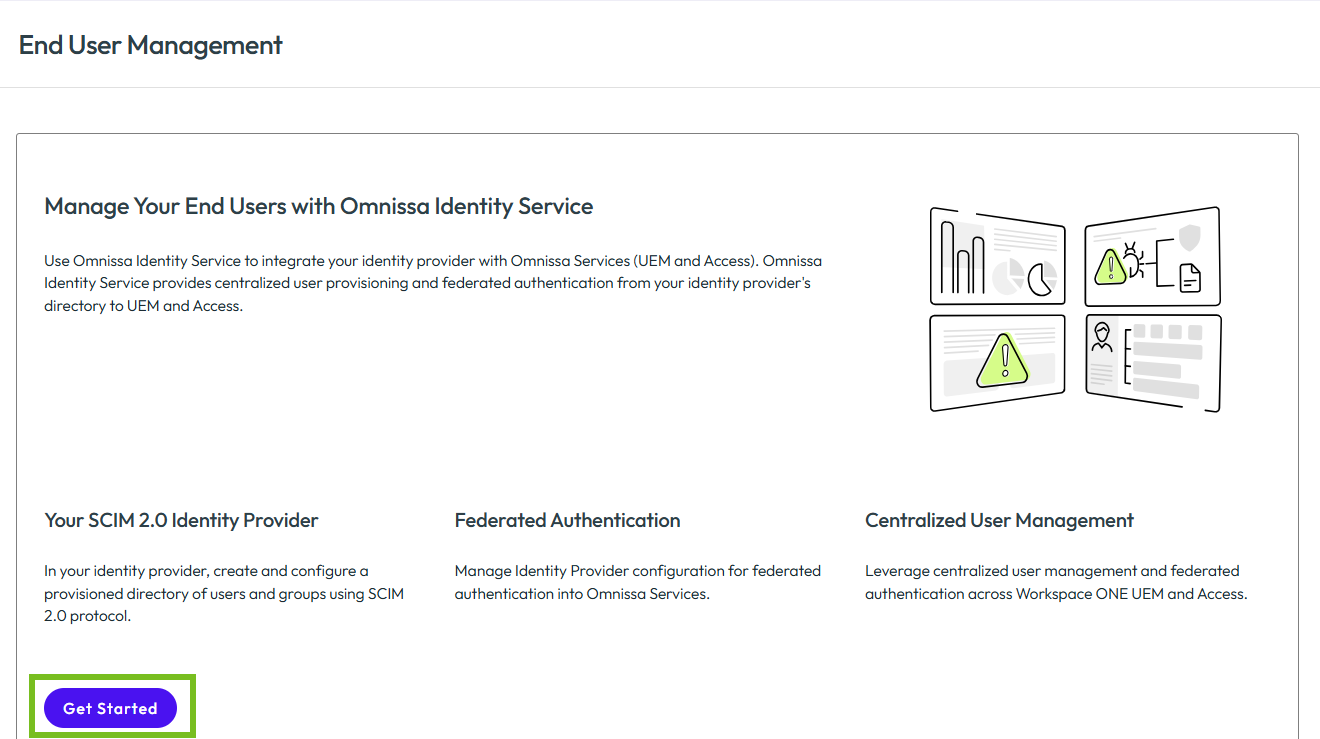
在 Identity Service 索引標籤中,按一下開始使用。
開始使用 Omnissa Identity Service - 內部部署
Omnissa Identity Service 隨附於 Omnissa Access 內部部署 26.07 版及更新版本。安裝 Omnissa Access 時,系統依預設會安裝 Omnissa Identity Service。完成部署後,您可以從 Omnissa Access Console 存取此服務。
**重要:**在開始使用 Omnissa Identity Service 前,請先檢閱使用 Omnissa Identity Service 設定使用者佈建與身分識別聯盟。
先決條件
- 您已在內部部署環境中安裝 Omnissa Access 26.07 或更新版本。
- 您的 Omnissa Access 部署可從公用網際網路連線,且具有有效的 TLS 憑證。這是必要條件,第三方雲端身分識別提供者 (例如 Entra ID) 才能連線至 Omnissa Identity Service。
- Omnissa Access 中尚未設定任何目錄或身分識別提供者。
- 您必須具備以下角色:
- Omnissa Access 服務中的 Super Admin (超級管理員) 角色
- 您計劃要與 Omnissa Identity Service 整合之各項服務中的管理員角色。若為 Workspace ONE UEM,則需具備主控台管理員角色或具備同等權限的自訂角色。
程序
-
登入 Omnissa Access Console。
-
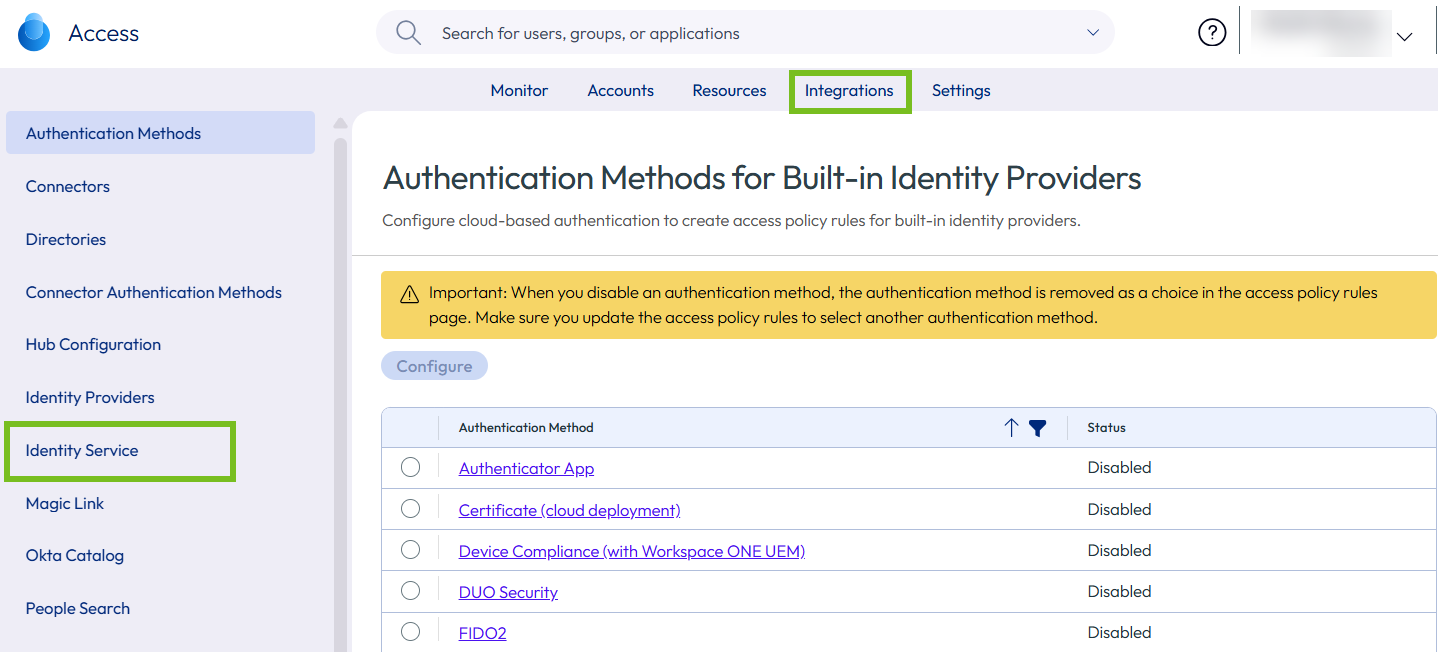
選取整合 > Identity Service。
-
按一下設定 SCIM 佈建。
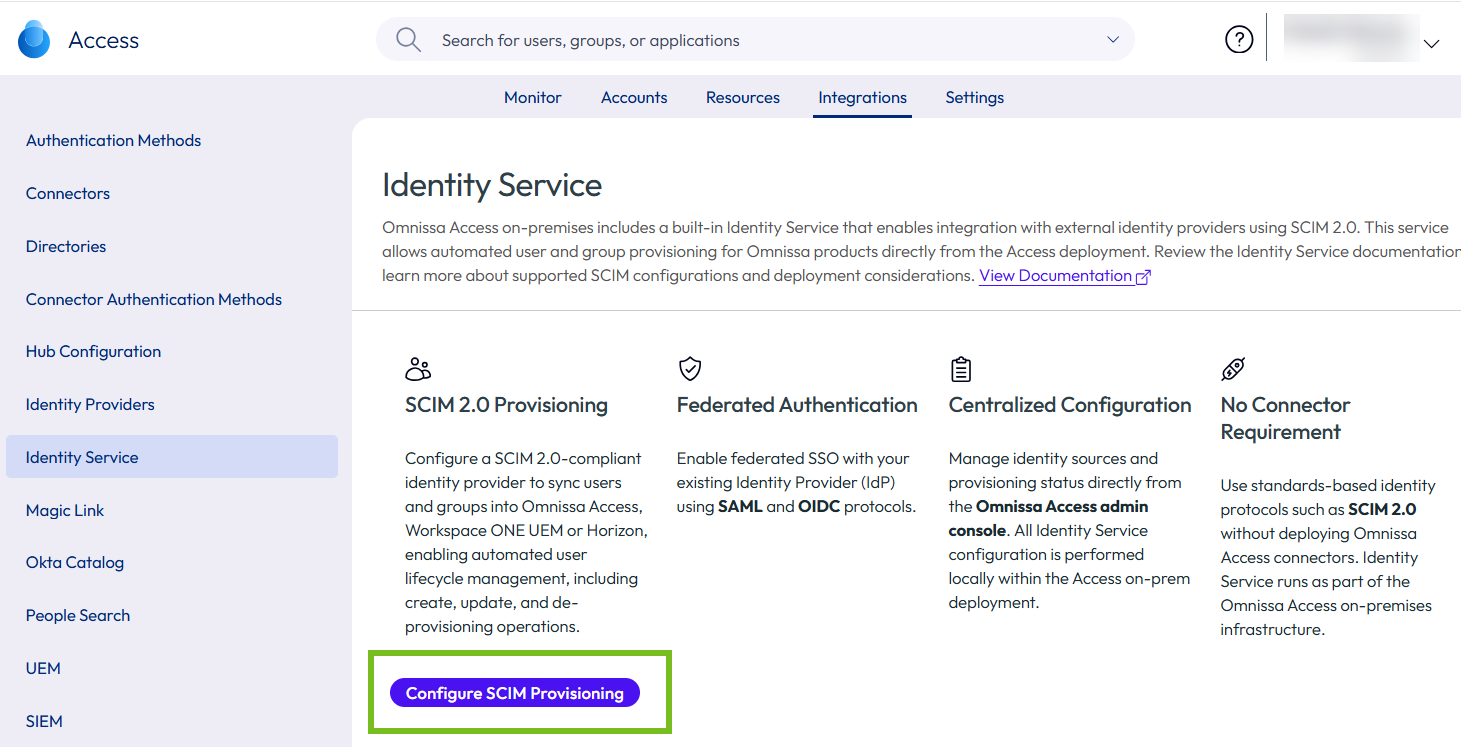
Omnissa Identity Service 會在瀏覽器的新索引標籤中開啟。
-
在 Identity Service 索引標籤中,按一下開始使用。
後續步驟
設定 Omnissa Identity Service。
- 若要與 Microsoft Entra ID 整合,請參閱將 Omnissa Identity Service 與 Azure Active Directory 整合。
- 若要與 Okta 整合,請參閱將 Omnissa Identity Service 與 Okta 整合。
- 若要與 Google Workspace 整合,請參閱將 Omnissa Identity Service 與 Google Workspace 整合。
- 若要與其他 SCIM 2.0 式身分識別提供者整合,請參閱將 Omnissa Identity Service 與一般 SCIM 2.0 身分識別提供者整合。
此頁面對您有幫助嗎?