Listed are the methods to access Omnissa Intelligence depending on your Omnissa platform account.
Omnissa Connect accounts
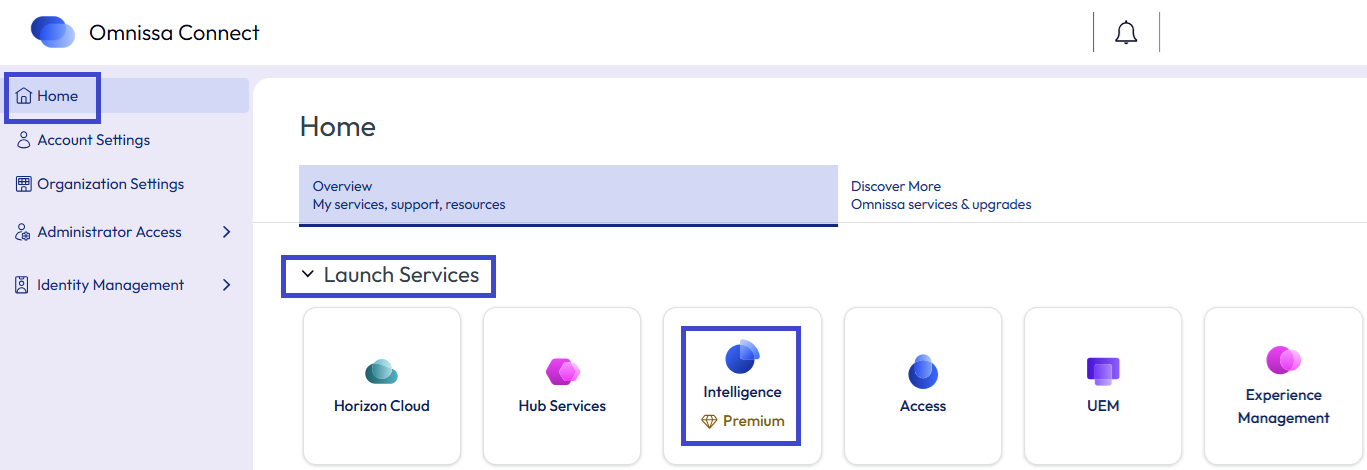
Follow the listed steps to log into Intelligence when you have an Omnissa Connect account.
- Launch Omnissa Connect.
- If prompted, enter your Omnissa Connect account information.
- From the Home page, select the Intelligence tile to launch Intelligence from Omnissa Connect.
UEM service migrated to Connect
Your experience logging in to Intelligence through UEM depends on whether you have an Omnissa Connect account or not.
No Connect account
If your UEM service was migrated to Connect but you do not yet have a Connect account, then the system prompts you to request an Omnissa Connect account.
- In Workspace ONE UEM, select the organization where your business manages Intelligence.
- Select Monitor > Intelligence.
- Select Launch on the Intelligence page.
- Complete the widget to Request an Omnissa Connect Account by entering your business email address and selecting Request Account.
- Look for an email with your Omnissa Connect account activation link.
Connect account
If your UEM service was migrated to Connect and you have a Connect account but you use your UEM-based credentials and UEM to access Intelligence, then UEM does not let you launch Intelligence. You need to follow the the log in steps for Omnissa Connect accounts to access Intelligence.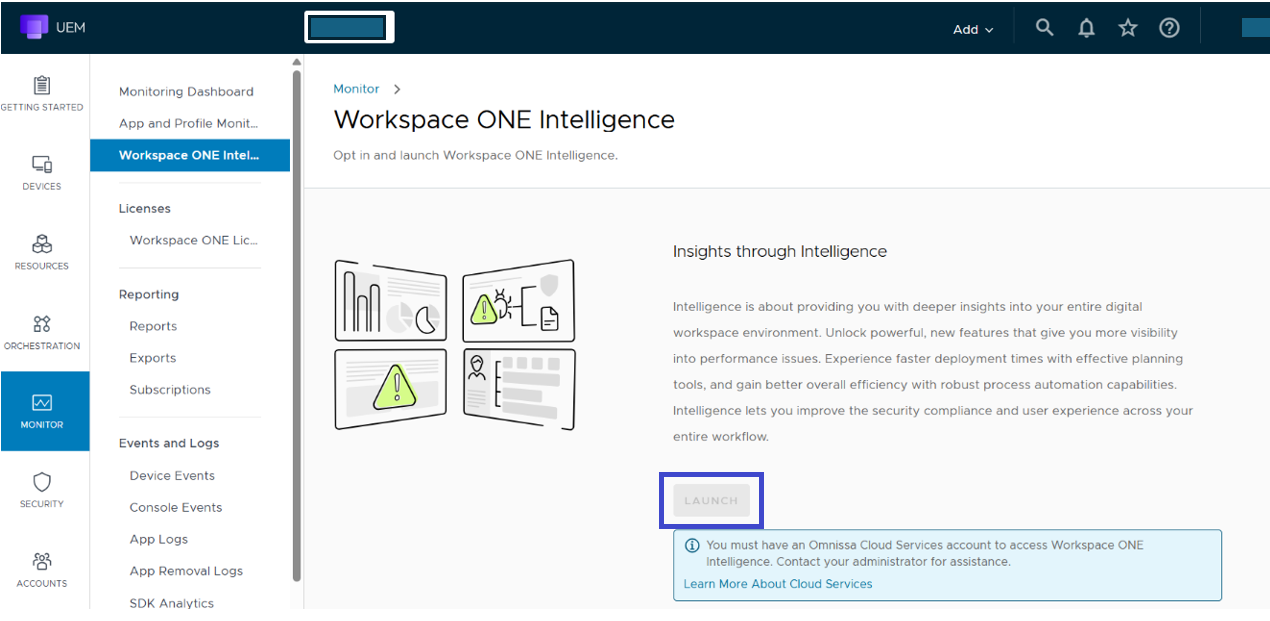
New UEM-based account after migration
If you were added to UEM as an admin and you were given a UEM-based admin account after the UEM service was migrated to Connect, you can launch UEM from Connect. However, you must request an Omnissa Connect account to access Intelligence. Follow the steps in No Connect account to request a Connect account in Intelligence.
UEM service not migrated to Connect
For those accounts that are not migrated to Omnissa Connect, admins continue to launch Intelligence through Workspace ONE UEM.
- In Workspace ONE UEM, select the organization where your business manages Intelligence.
- Select Monitor > Intelligence.
- Select Launch on the Intelligence page.
Was this page helpful?