When the Omnissa Access virtual appliance is configured behind a load balancer, you must establish trust between the load balancer and Omnissa Access. In addition to copying the Omnissa Access root certificate to the load balancer, you must copy the load balancer root certificate to Omnissa Access.
Procedure
-
Obtain the load balancer root certificate.
-
Log in to the Omnissa Access console.
-
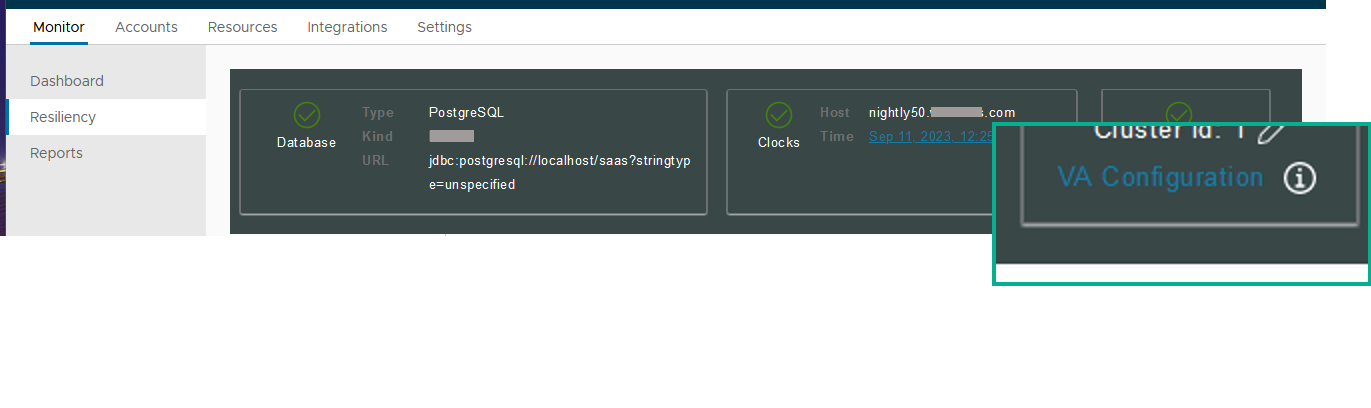
Select Monitor > Resiliency.
-
Click VA Configuration of the service node you want to configure and log in with the admin user password.
-
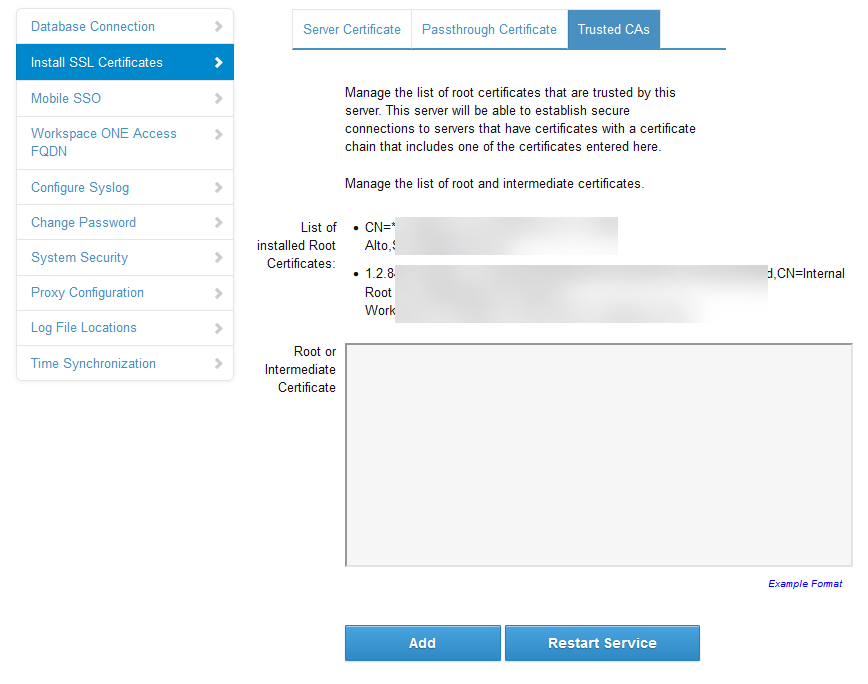
Select Install SSL Certificates > Trusted CAs.
-
Paste the load balancer root certificate into the Root or Intermediate Certificate text box.
-
Click Add.
Was this page helpful?