The Applications summary page lists all the applications created for an Omnissa App Volumes instance and the summary of information about each of these applications. On this page, for each application, you can create a package, assign or unassign entities, and perform other management operations without having to go into the application details page.
If an application in an App Volumes instance is in a synchronization relationship with a source App Volumes instance, then the application can be managed only from the source. In such a case, the Manage Source capability is available for the application on the summary page and no other capabilities such as edit, delete, assign, unassign, and so on, are available. Similarly, the details page for every application too has the same behavior. The listing of such applications on the summary page also helps you identify the applications that can be managed from the source and the applications which can be managed locally (from this instance) without having to navigate into the applications details page.
The Applications summary page contains information about the application name, owner, status, GUID, timestamp of the last synchronization operation between the source and target (Last Synchronized), entities assigned to an application, computer prefixes associated with non-computer entities (Users, Groups, and OUs), application packages including those marked CURRENT, and the respective user information for the marker.
Note: The Owner column on the summary page displays applications owned by a User and the Group where the User is a member and the Group is assigned the Applications Owners role. For more information about this role, see Managing Admin Roles.
Here are some considerations regarding some of the fields and their values displayed on this page:
- The
Last Synchronizedfield is displayed only for applications that are synchronized to the target. - If the
CURRENTmarker is synchronized from a source instance, then the user information for such a package displays the name of the source instance.
For example: CURRENT <package_name> (Synchronized by <name_of_source_instance> on <date_time>). - If the source instance is removed after marker synchronization, then the user information is displayed as
Systemand not the name of the source instance. - If the Package Symmetry Assurance setting is activated and enabled packages are not the same between the source and target instances, a warning icon is displayed in the synchronization status of the application. This icon indicates that packages are missing on the target instance.
For more information about Package Symmetry Assurance setting, see Register an App Volumes Instance as a Target.
An application GUID helps in determining whether a replicated (or synchronized) application package is associated with the correct application. During synchronization, the application GUID on the target instance must match the application GUID on the source. This capability of identification ensures that the correct application properties are synchronized from the source to the target.
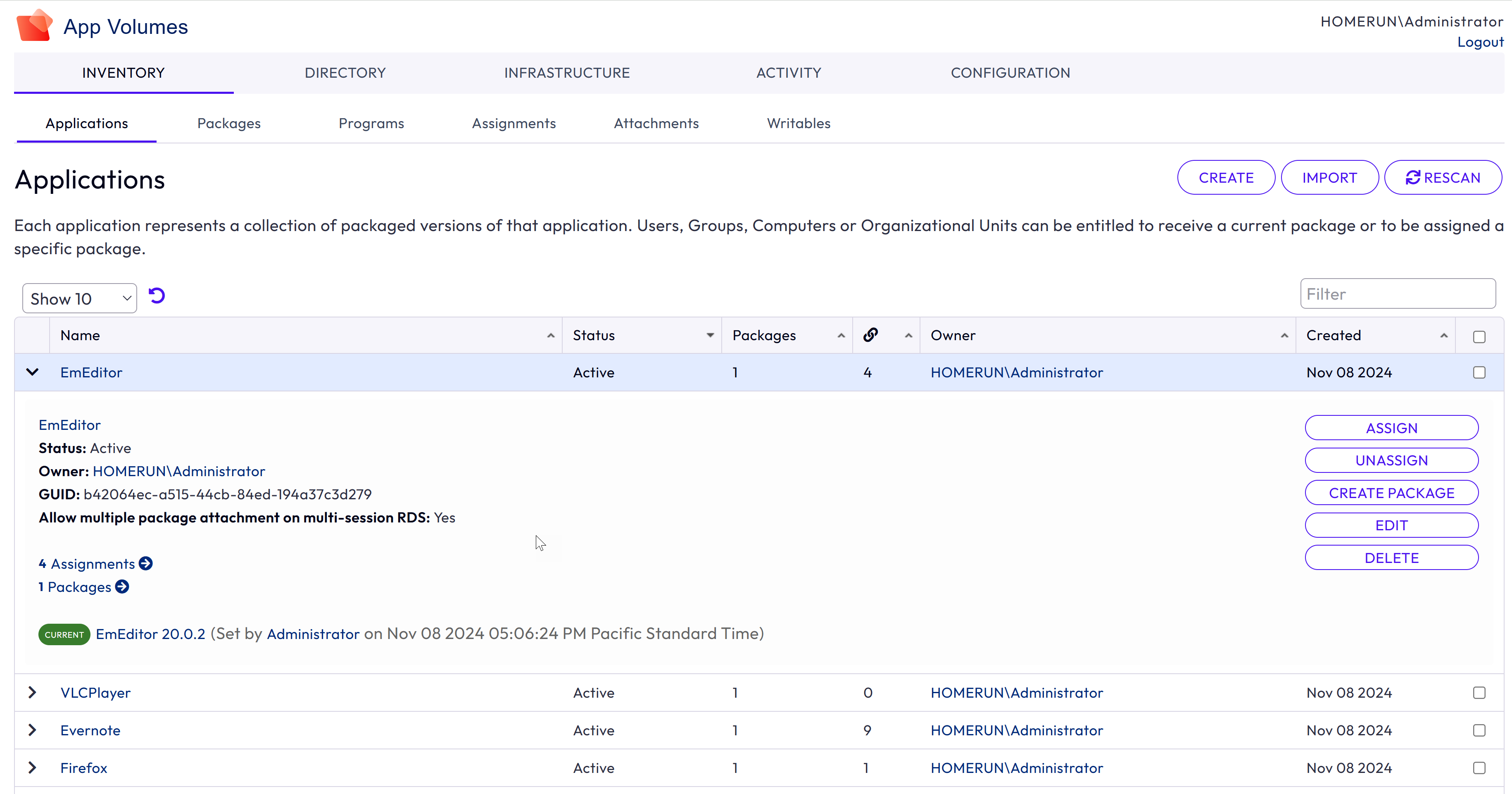
For an understanding about application synchronization, see Configure Multiple App Volumes Instances for Application Synchronization.
For specific information about managing synchronized applications and packages at the source instance, see Manage a Synchronized App Volumes Application at the Source.
Was this page helpful?