This administration collection of pages describes what to do when your first-generation tenant environment has at least one pod in its fleet. This documentation page right here mainly serves as the entry page to the administration collection. The collection includes pages about both day-1 and day-2 tasks in which you use the Horizon Universal Console to manage the pods you have onboarded to the first-generation control plane.
About this Page
Attention: This information applies solely when you have access to a first-gen tenant environment in the first-gen control plane. As described in KB-92424, the first-gen control plane has reached end of availability (EOA). See that article for details.
As of August 2022, Horizon Cloud is generally available and has its own guide, Using Horizon Control Plane.
An indication of which environment you have, Horizon Cloud or first-gen, is the pattern that appears in the browser's URL field after you log in to your environment and see the Horizon Universal Console label. For a Horizon Cloud environment, the console's URL address contains a portion like /hcsadmin/. The first-gen console's URL has a different section (/horizonadmin/).
Brief Introduction to First-Gen Tenant Administration
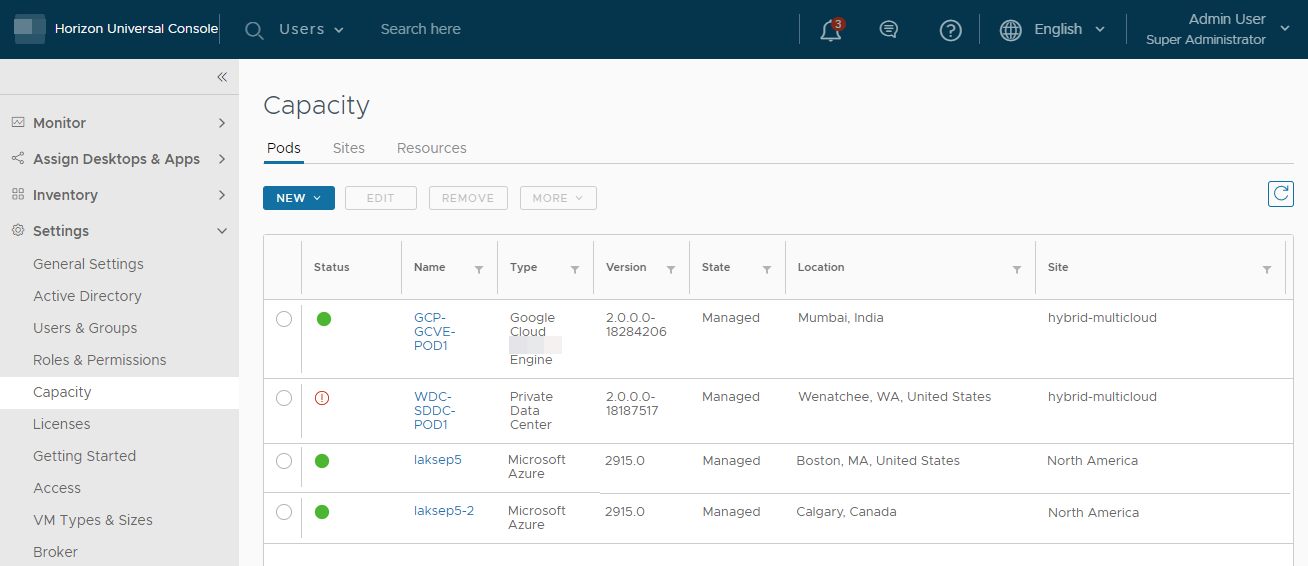
Your overall tenant environment consists of the cloud-hosted service and your fleet of pods appropriately deployed and connected to the service's control plane.
To work with your pod fleet and the cloud-hosted management features that the control plane provides, you use the tenant environment's web-based administrative portal named the Horizon Universal Console, or the console for short. For an in-depth introduction to key concepts, see the page Basic Horizon Tenant Concepts - the Cloud Service, Control Plane, Horizon Universal Console, and Cloud-Connected Pods.
Your Pod Fleet
A tenant's pod fleet consists of one or more:
-
Horizon pods - These are pods based on Horizon Connection Server software.
-
Horizon Cloud pods - These are pods based on the Horizon Cloud pod-manager technology specific for running in Microsoft Azure.
The information in this document describes how to use the Horizon Cloud capabilities after you have at least one pod in your tenant's pod fleet. For information on how to add your very first pod to your tenant, see the Deployment Guide's First-Gen Tenants - Horizon Cloud Deployments and Onboarding Pods topic and its subtopics.
When You Read About a Feature Here and You Aren't Seeing It in Your Live Environment
Here are some reasons you might not see a feature in the console that you are expecting to see from reading about it in this documentation:
- These documentation pages reflect the current release of the service and control plane. When you have pod components that are not yet updated to the currently supported release level and a feature depends on having the latest level, your live environment might not reflect what is described in this guide.
- Also, in a particular release, Horizon Cloud might include separately licensed features. The Horizon Universal Console reflects the elements related to such features only when your license includes use of such features.
- The service can have features that are only enabled by request on a per-tenant basis. Not all tenants will automatically see the same features.
When you read about a feature in the Horizon Cloud documentation and you are not seeing it in your environment, file a support request as described in KB article 2006985.
Revision History for these Administrative Topics
This documentation set of topics is updated with each release of the product or when necessary. For the set of significant revisions made to date, see Revision History — Changelog.
Intended Audience
This document is intended for experienced IT system administrators who are familiar with virtual machine technology and datacenter operations.
Depending on your organization's needs and the type of pod you are working with, you might find it helpful to be familiar with these software products, software components, and their features:
- Omnissa Horizon
- Omnissa Horizon® Cloud Connector™
- Omnissa Unified Access Gateway™
- Omnissa Access
- Omnissa Workspace ONE® Hub Services
- Omnissa Workspace ONE® UEM
- Omnissa Horizon® Client™
- Omnissa Horizon® Web Client™
- Amazon Web Services EC2 (AWS EC2)
- Microsoft Azure and its Marketplace
- AVS
- Google Cloud Platform (GCP) and GCVE
- Microsoft Active Directory
- Omnissa Dynamic Environment Manager™
- VMC on AWS
About the Screenshots Used in This Document
The screenshots typically:
- Show only that portion of the overall user interface screen that corresponds to the text at which point the screenshot appears, and not necessarily the full user interface.
- Have blurred areas where appropriate to maintain data anonymity.
Note: Some screenshots are taken at a higher resolution than others, and might look grainy when the PDF is viewed at 100%. However, if you zoom to 200%, those images start to look clear and readable.
Horizon Cloud Community
Use the forums at Omnissa Community to ask questions, explore answers given for questions asked by other users, and access links to useful information.
Contacting Technical Support
Contact Technical Support when you need help with your Horizon Cloud environment.
- You can submit a support request to Technical Support online using your Customer Connect account or by phone.
- KB 2006985 How to file a Support Request in Customer Connect portal provides details for getting support.
Selected Pod-Related Terminology Used in these Administration Guide Documentation Topics
Throughout the first-gen Horizon Cloud documentation pages, you will see the following phrases. These phrases have the indicated meanings as follows.
-
Horizon pod
A pod that is constructed using the Horizon Connection Server software and related software components. The Horizon Connection Server components are running in an infrastructure that Horizon supports for its use.
-
Horizon Cloud pod, Horizon Cloud pod on Microsoft Azure
A pod that is constructed by running the first-gen Horizon Cloud pod deployment wizard which automates deployment into your Microsoft Azure subscription. This type of pod is based on the first-gen Horizon Cloud pod-manager technology, and is supported to run in Microsoft Azure solely.
Note: A Horizon pod on Microsoft Azure is separate and distinct entity from a Horizon pod on AVS. Those two are based on completely different technology — one is based on Horizon Connection Server technology and one is based on the Horizon Cloud pod-manager technology.
-
connection broker
A connection broker is responsible for connecting end users' clients with a virtual desktop VM or farm VM for the purpose of setting up a connected session between each end-user client and the agent running in that VM. This noun — broker — is used because one general definition of the noun broker in the English language is one who negotiates a transaction.
In desktop virtualization software's use cases, the connection broker receives the end-user's client request to make a connection with a virtual desktop VM or farm VM. The connection broker then routes the request appropriately and negotiates a connected session between the agent running in one of the VMs and that end-user client. The negotiation considers what types of pod-provisioned resources the end user is entitled to make connections with.
One of the first-generation Horizon Control Plane services is the Universal Broker service. Universal Broker is a multi-tenant, cloud-based service that enables the brokering of resources that span multiple pods and makes brokering decisions based on the geographic sites of users and pods.
A Horizon pod's Connection Server or a Horizon Cloud pod's pod manager VM is the component that facilitates the routing of the end-user client to a resource in the pod that meets the client's connection request.
Privacy Notices
See the links within the Trust Center for how we handle information collected through this product.
Was this page helpful?