You can manage your user profile, see applications assigned to you, your recent activities in Omnissa Access, and a list of your devices registered for two-factor authentication.
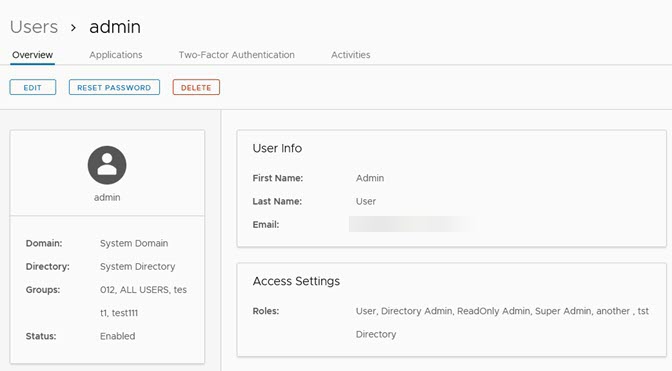
| Overview | The personal data associated with the admin user is displayed. Groups that the admin user is a member of are also displayed. You can click EDIT to change the admin user roles and user profile information. You can click RESET PASSWORD to reset the admin password. You can click DELETE to delete the users. |
| Applications | The applications that the admin user is entitled to use are listed. You can assign and unassign applications for the admin user from the Applications page and change how the application is deployed. The deployment options are User Activated or Automatic. |
| Two-Factor Authentication | The admin user's devices that are configured to authenticate with two-factor authentication are listed. The FIDO2 authenticator information is configured on this page. Users can register up to ten authenticators. See Configuring FIDO2 Authentication in Omnissa Access. |
| Activities | Displays details of the activities that the admin user performed in the admin console. The default view is to list the last three days of activity. |
Was this page helpful?