As a claims issuer, Omnissa Access sends security tokens containing authentication claims to AD FS. Claim rules define the content of these claims and transform them into a format that AD FS can recognize and consume.
Omnissa Access sends the Name ID user attribute as an authentication claim to AD FS. This attribute takes the form domain\samAccountName in the SAML assertion issued by Omnissa Access. However, AD FS expects instead a value of type WindowsAccountName formatted as domain\user. AD FS also expects to see Active Directory named as the issuer of this value.
The solution is to configure a claim rule that transforms the Name ID attribute into WindowsAccountName format and changes the named issuer from Omnissa Access to Active Directory. AD FS can then recognize and consume the incoming claim from Omnissa Access.
Prerequisites
Add Omnissa Access as a Claims Provider for AD FS
Procedure
-
If needed, open the Edit Claim Rules window on the AD FS server by performing the following steps.
-
Run the AD FS Management console as an administrator.
-
(AD FS 3.0) In the left pane, expand the Trust Relationships folder.
-
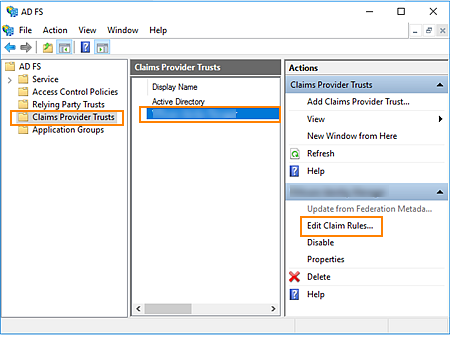
In the left pane, select Claims Provider Trusts.
-
In the center pane, select the claims provider trust that you created for Omnissa Access.
-
In the right pane, click Edit Claim Rules.
-
-
In the Edit Claim Rules window, click Add Rule.
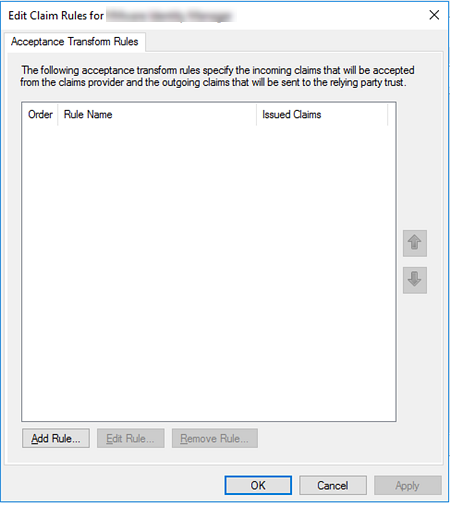
The Add Transform Claim Rule Wizard appears.
-
For Claim rule template, select Send Claims Using a Custom Rule. Then click Next.
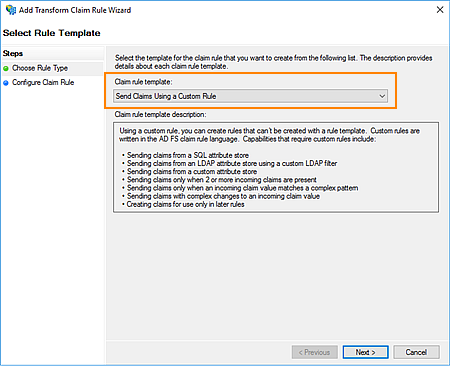
The Configure Rule page appears. You can now create a rule that transforms the incoming Name ID attribute into the WindowsAccountName value formatted as
domain\user. The rule also names Active Directory as the issuer of this value. -
On the Configure Rule page, perform the following steps.
-
For Claim rule name, enter a descriptive name for the rule.
-
In the Custom Rule text box, enter the following rule.
c:[Type == "http://schemas.xmlsoap.org/ws/2005/05/identity/claims/nameidentifier",
Properties["http://schemas.xmlsoap.org/ws/2005/05/identity/claimproperties/format"] ==
"urn:oasis:names:tc:SAML:1.1:nameid-format:unspecified"]


=> issue(Type = "http://schemas.microsoft.com/ws/2008/06/identity/claims/windowsaccountname",
Issuer = "AD AUTHORITY", OriginalIssuer = c.OriginalIssuer, Value = c.Value, ValueType = c.ValueType);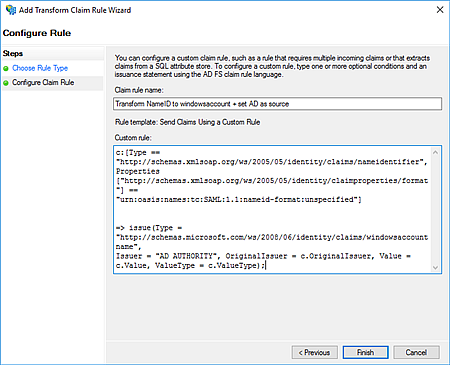
-
-
Click Finish.
-
In the Edit Claim Rules window, verify that the custom rule you created appears in the list.
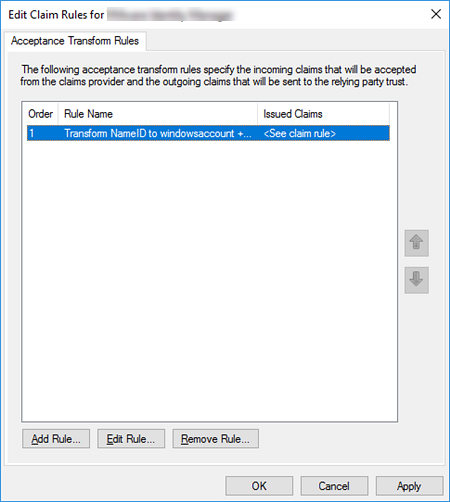
-
Click Apply, and then click OK.
What to do next
Proceed to Configuring AD FS as a Service Provider for Omnissa Access.
Was this page helpful?