AD FS requires the Omnissa Access service provider (SP) metadata for federation. The SP metadata is an XML file that describes the capabilities and requirements of Omnissa Access as a trusted service provider.
Procedure
-
Log in to the Omnissa Access console.
-
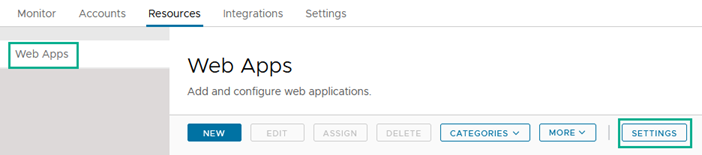
Select the Resources > Web Apps page.
-
Click Settings and then select SAML Metadata.
-
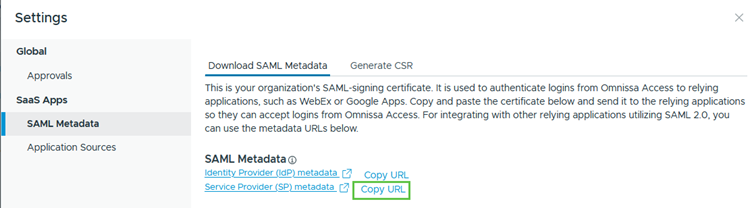
Under the SAML Metadata section, next to Service Provider (SP) metadata, click the Copy URL link to copy the SP metadata URL to the clipboard. Paste and save the URL in a text file on your computer.
-
Close the Settings page.
Was this page helpful?