With AD FS integrated as a trusted identity provider, end users can log in to the Hub portal with their Active Directory credentials. To complete the integration, configure AD FS as an identity provider for Omnissa Access, and Omnissa Access as a relying party for AD FS.
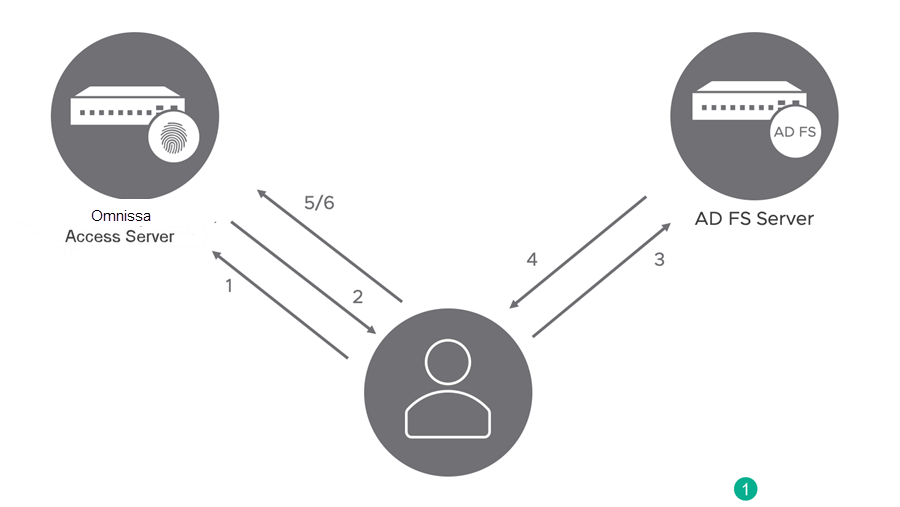
Integrating AD FS as a federated identity provider for Omnissa Access allows you to implement Workspace ONE Intelligent Hub Login Using AD FS (MainUseCases.md)). This use case employs the following authentication flow.
- End user seeks access to the Hub portal.
- As the identity component of the Workspace ONE platform, Omnissa Access redirects the authentication request to AD FS.
- If needed, AD FS prompts the user to log in with Active Directory credentials.
- AD FS authenticates the user, and issues a security token containing the LDAP email address attribute of the user.
- Omnissa Access accepts the SAML-formatted token from AD FS as the trusted identity provider.
- Omnissa Access grants the user access to the Hub portal.
AD FS Identity Provider Flow
Was this page helpful?