You can configure high availability for directory sync by associating the directory with multiple Directory Sync service instances and then setting up a Sync Services list for the directory. The Directory Sync service instances in the Sync Services list are arranged in failover order. The Omnissa Access service uses the first Directory Sync service in the list to sync users and groups for the directory. If the first Directory Sync service is unavailable, it uses the next one in the list, and so on.
Each directory has its own Sync Services list. Perform the steps that follow to configure multiple instances of the Directory Sync service.
Procedure
-
Log in to the Omnissa Access console.
-
Click the Integrations tab, then click Directories.
-
Click the directory for which you would like to add another Directory Sync service.
-
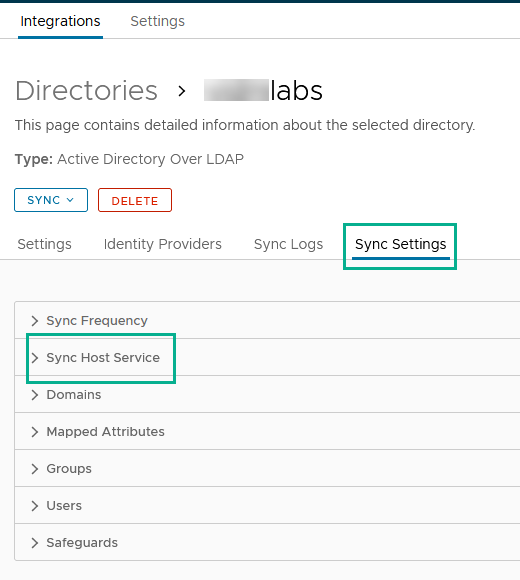
Click Sync Settings.
-
Click Sync Service.
-
Use the Sync Service menu to select other Directory Sync service instances to add to the Sync Host Services list and use the arrows to manage the failover order.
-
Click Save.
See the latest Directory Integration with Omnissa Access guide for more information about configuring high availability for directory sync in Omnissa Access.
Was this page helpful?