Read this topic to understand the behavior and prerequisites required for each application relationship type. Additionally, a few examples and limitations are also included.
For an understanding of application relationships, see Determine Order of Attachment for App Volumes Applications Using Application Relationships.
Install Order
In the App Volumes Manager Admin UI, this relationship is defined with Precedes and Is preceded by values.
-
A virtualization order is applied between two applications when delivered to an entity. As a result, the application which must be virtualized first precedes the second application.
-
Install order is maintained only when the first application virtualizes successfully. If virtualization fails, this application is not delivered and the Install Order relationship no longer exists. However, the second application continues to be delivered and virtualized.
-
If the package delivery mode of the first application is
On-demandand the second application isClassic, the package delivery mode of the first application automatically changes toClassicat the time of delivery.
Prerequisites
Both applications must be assigned to the entity.
Example
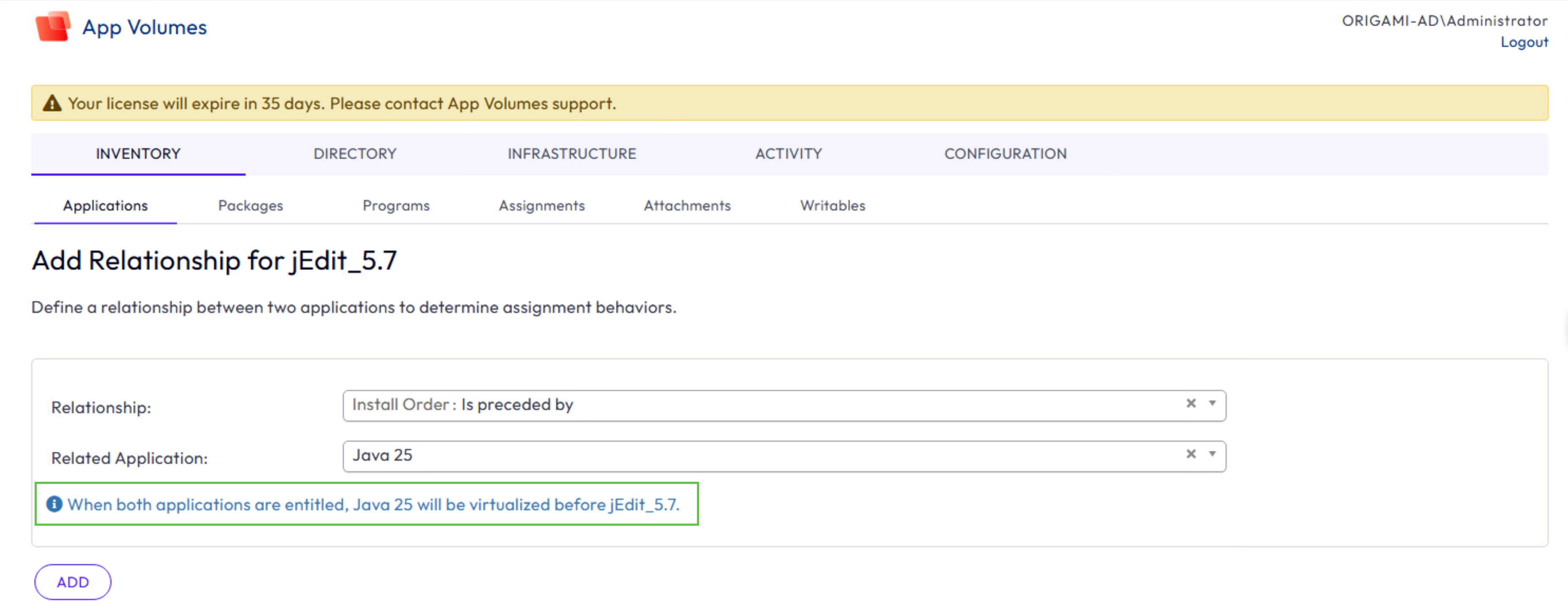
You want to define an Install Order relationship between jEdit and Java. Add a relationship for jEdit where Java is the related application and the relationship type is Is preceded by.
When both applications are assigned to an entity, Java precedes jEdit at the time of delivery. (Alternatively: jEdit Is preceded by Java.) This means that Java is virtualized first and then jEdit.
Limitations when defining the Install Order relationship
-
If the applications are assigned to two different entity types (for example:
UserandComputerrespectively), then the applications might fail to virtualize or virtualize in an unexpected order.It is recommended that both applications have the same package delivery mode (
ClassicorOn-demand). -
If the first application has multiple packages, including a
CURRENTpackage set toOn-demand, and the second application (also set toOn-demand) is launched first, then theCURRENTpackage of the first application is delivered to the entity and virtualized. The version selection window for the first application is not displayed to the end user.
Dependency
In the App Volumes Manager Admin UI, this relationship is defined with Depends on and Is depended on by values.
-
The delivery of an (dependent) application requires the delivery of another (base) application. The base application’s
CURRENTpackage is automatically delivered to an entity without explicit assignment. If the base application is not virtualized or delivered, then the virtualization or delivery of the dependent application also fails respectively. -
If the base application also has an Install Order relationship with the dependent application, the App Volumes agent ignores the Install Order relationship because the order between applications is already determined by the Dependency relationship.
-
If the package delivery mode of the base application is
On-demandand the dependent application isClassic, then the package delivery mode of the base application package automatically changes toClassicat the time of delivery.
Prerequisites
Ensure that the base application has a package set with the CURRENT marker.
If the base application is not explicitly assigned to the entity, App Volumes automatically selects the CURRENT package when delivering the base application to the entity.
Note: If the base application has no CURRENT package, the dependent application is still delivered but the Dependency relationship is ignored. This unresolved dependency is logged in the Activity Log tab (ACTIVITY > Activity Log). App Volumes agent tries to virtualize the dependent application without the base application. If virtualization succeeds, the end user receives only the dependent application. A successful virtualization depends on the base application used in this relationship.
Example
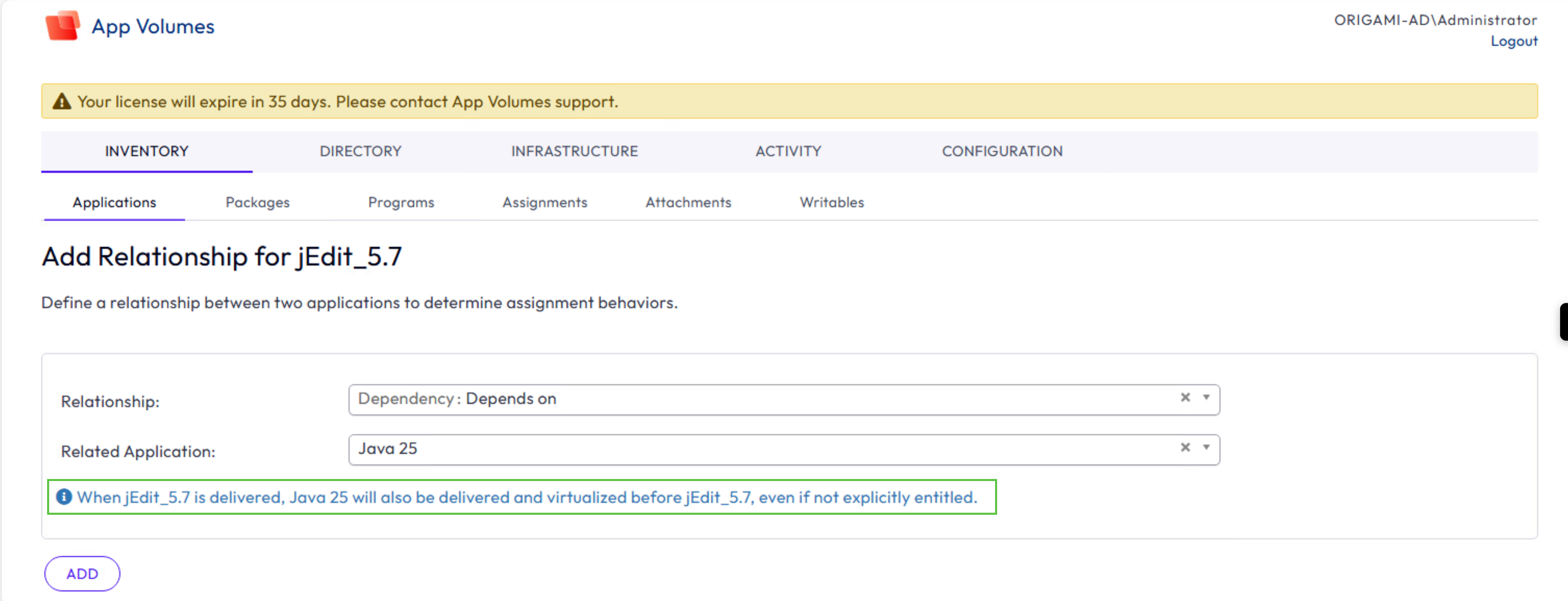
You want to define a Dependency relationship between jEdit and Java. Add a relationship for jEdit where Java is the related application and the relationship type is Depends on.
When jEdit is delivered, Java is also delivered (even if not explicitly assigned to the entity). Given that the relationship is jEdit depends on Java, Java is virtualized first followed by jEdit.
Limitations when defining the Dependency relationship
-
If the base and dependent applications are assigned to two different entity types (for example:
UserandComputerrespectively), then applications might fail to virtualize or virtualize in an unexpected order. -
If the base application has multiple packages, including a
CURRENTpackage set toOn-demand, and the dependent application (also set toOn-demand) is launched first, theCURRENTpackage of the base application is delivered to the entity and virtualized. The version selection window for the base application is not displayed to the end user at the Windows endpoint.
Application Conflict
In the App Volumes Manager Admin UI, this relationship is defined with Selected over and Excluded due to values.
An application conflict occurs when applications which cannot co-exist are delivered to the same entity. One application can be selected over the other. When both applications are assigned and the relationship is defined, the Selected over application is delivered to the entity, while the other application is not (excluded).
If the Excluded due to application is assigned and the Selected over application is not assigned, the Excluded due to application continues to be delivered to the entity.
Prerequisite
For the relationship to succeed, both applications must be assigned to the entity.
Example
You want to define an application conflict relationship between Adobe Acrobat Reader and Adobe Acrobat Professional. Add a relationship for Adobe Acrobat Reader where Adobe Acrobat Professional is the related application and the relationship type is Excluded due to. When both applications are assigned to the same entity, Adobe Acrobat Professional is delivered but Adobe Acrobat Reader is excluded (not delivered).
Limitations when defining the Conflict relationship
It is recommended that both applications have the same package delivery mode (Classic or On-demand) and assigned to the same entity type.
If both applications have the package delivery mode as Classic, the first application is assigned to the User, and the second application is assigned to the Computer, applications might fail to virtualize or virtualize in an unexpected order.
Was this page helpful?