You can monitor activity logs in the Partner Admin Console by selecting Monitor > Activity Logs and filtering activity log display by events, status, and type.
Note: The Horizon Partner Admin Console is currently available in Limited Availability (LA) mode only.
The page opens to display the My Tenants tab page. To help assist you in prioritizing corrective actions, the top 5 tenants are listed on the My Tenants tab page relative to their number of failed events. To learn more about any given activity log event, expand the event and then explore subsequent categories of information by using tabs such as Subtasks and Resource Event History.
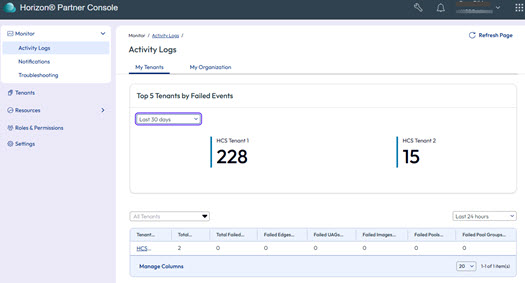
Select the My Organization tab to display activity event logs for issues relative to your own organization.
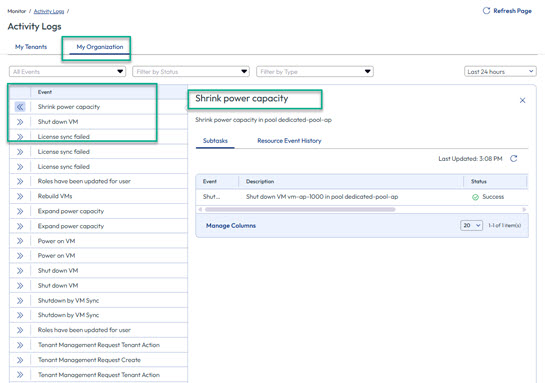
Use the expansion option in the first column of the table in the My Organization tab page to expand information for any given event log.
Filtering options such as By Status and By Type are available.
Was this page helpful?