The Horizon DaaS log files contain detailed information about system activities, processes, and errors that can assist with troubleshooting procedures. This topic describes how to collect logs for the Horizon Air Link, resource manager, service provider, tenant, and desktop manager appliances.
Procedure
-
Log into the Horizon Version Manager portal.
Rundeck opens in your browser.
-
Select Projects > Horizon-DaaS-Ops.
-
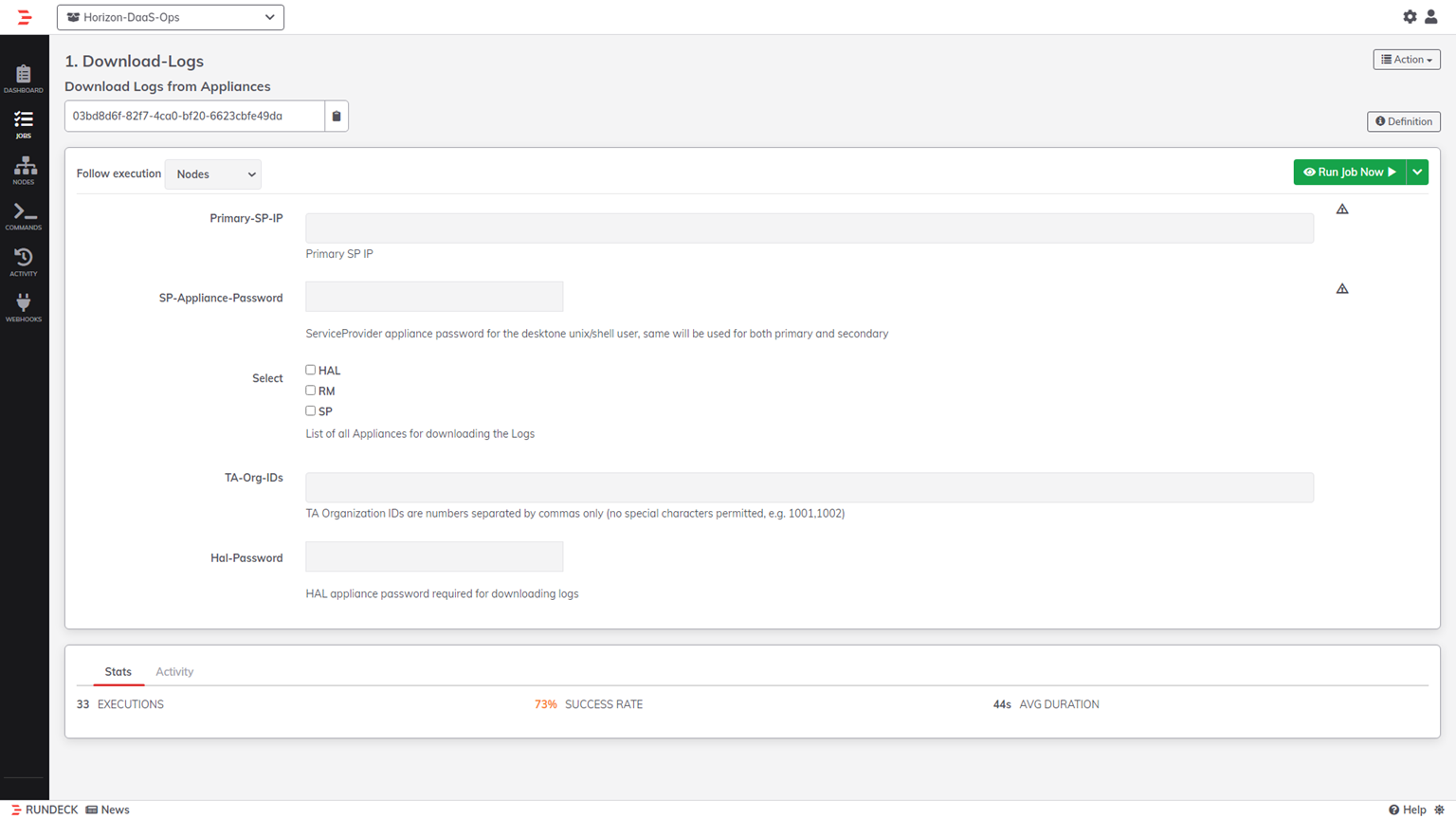
Select Download-Logs.
-
Enter the following information.
- For Primary-SP-IP, enter the IP address of the primary service provider appliance.
- For SP-Appliance-Password, enter the password for the service provider appliance. Note: Both SP entries are mandatory for the collecting of any appliance log, not just the service provider logs.
-
Specify the appliance logs that you want to collect, and enter any information required for the specific logs.
- To collect logs for the Horizon Air Link (HAL) appliance, select HAL. For Hal-Password, enter the password for the HAL appliance.
- To collect logs for the resource manager appliance, select RM.
- To collect logs for the service provider appliance, select SP.
- To collect logs for the tenant and desktop manager (DM) appliances, find TA-Org-IDs and enter the organization IDs for the appliance. Use commas to separate multiple entries. Only numeric entries are allowed, and special characters are not permitted.
-
Click Run Job Now.
Results
Horizon DaaS gathers logs for the appliances you selected and saves them as .zip archives in the /tmp/rundeck/ directory on the tenant appliance.
Was this page helpful?