Monitoring VM Workload Status and Troubleshooting
Use the Horizon Partner Admin Console Resources > VMs page to monitor VM status and issues across your Horizon Cloud tenants.
Note: The Horizon Partner Admin Console is currently available in Limited Availability (LA) mode only.
Monitor the number of VMs and the provisioning status of all VMs in your tenants from the Resources > VMs page, including the number of VMs with agent errors and those VMs whose agents are out of date. Select a VM to explore more information.
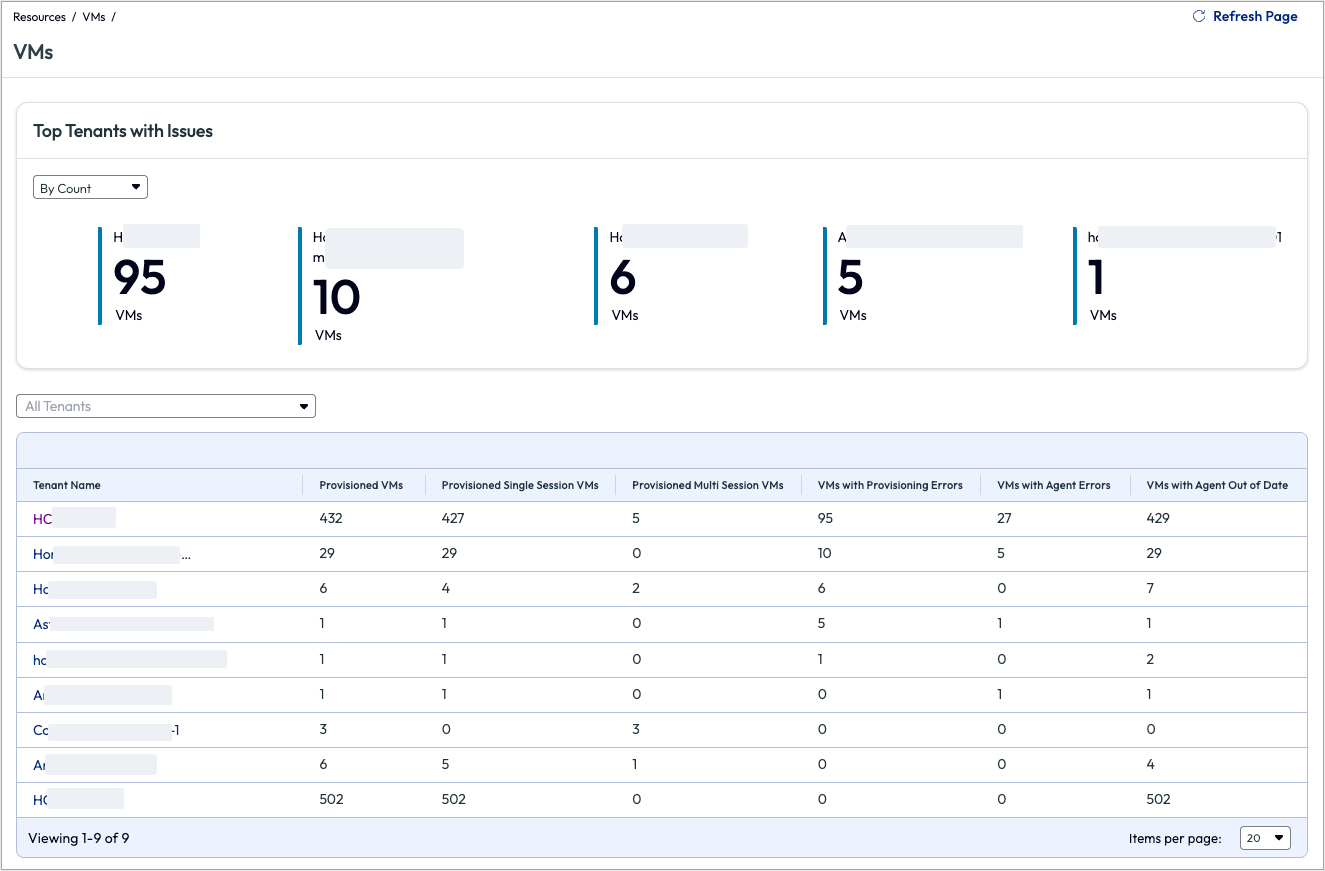
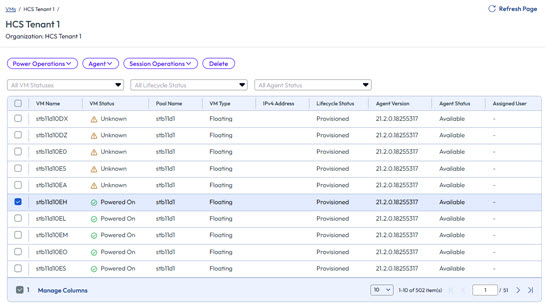
While you can see information about VM provisioning and agent status for all tenants on the VMs summary page, select a specific tenant from the page to learn detailed information about its VMs.
Note: While manual pools are supported, bulk operations (such as Session Logoff) can only be performed on VMs within a single pool.
Select one of the tenants, for example HCS Tenant1 and examine what actions may be warranted.
Taking Corrective Action on Monitored Tenants
Based on monitoring information, decide if you want or need to open the Horizon Cloud instance of a tenant organization to make specific changes. To open the tenant's Horizon Cloud instance, locate the tenant on the Tenants page in your Partner Admin Console and click Manage in the tenant's Actions column.
More information about Horizon Cloud VMs is available in the Horizon Cloud product documentation.
Was this page helpful?