Before you install or upgrade any application, it is a good practice to verify the file integrity for all files. This topic describes the process for performing an MD5 hash comparison using PowerShell and a free utility called WinMD5.
Procedure
-
Open the file containing the correct MD5 checksum.
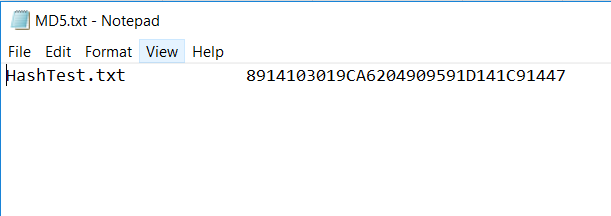
-
Start PowerShell and enter the following command:
Get-FileHash <PATH> -Algorithm MD5Example:

Alternatively, start a third-party hash tool of your choice, such as WinMD5, and browse to the file for which you must calculate the hash.
Important: If the hash tool you are using is a freeware application, validate the legitimacy of the tool before using it.
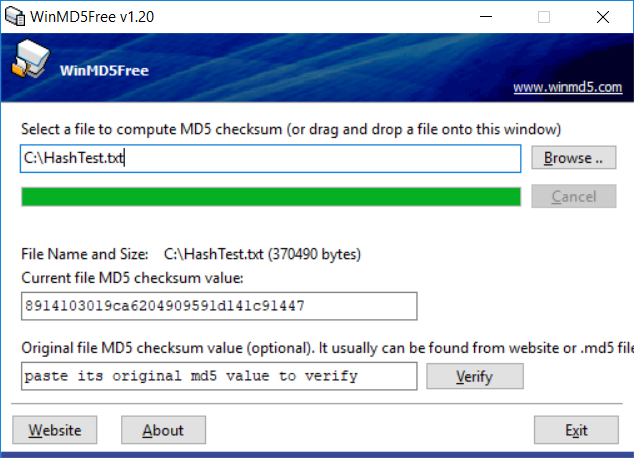
-
Copy the command output and paste it underneath the file’s hash in the hash document.
- If the two values match, then you can know with certainty that the file was properly downloaded and not modified.
- If the two values do not match, you might have to redownload the file or check with the software provider to validate the file.
Was this page helpful?