This product participated in the legacy Customer Experience Improvement Program (“CEIP”), which collected information about your organization's use of Omnissa products. As the CEIP has ended, do not join the program. If you previously opted in to the program, you must leave it.
Procedure
-
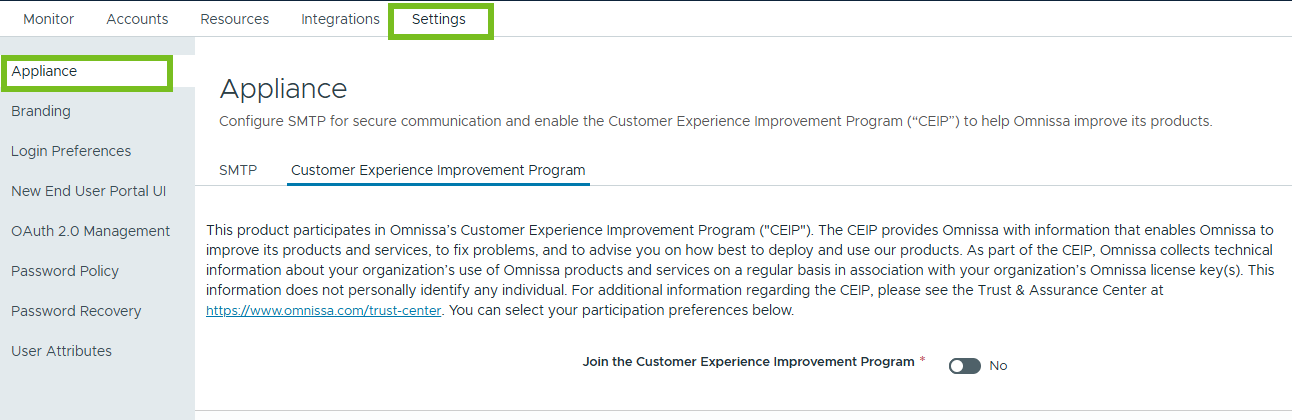
In the Omnissa Access admin console, select Settings > Appliance, then select the Customer Experience Improvement Program tab.
-
Dselect the Join the Customer Experience Improvement Program check box to leave the CEIP program.
-
Click Save.
Was this page helpful?