When you want to use an existing desktop pool from a Horizon pod with Universal Broker, you must make that pool suitable for use with Universal Broker and multi-cloud assignments. This documentation page describes the criteria that make the pool suitable for that use.
Universal Broker only supports desktop pools when they meet certain criteria.
- To use an existing desktop pool in multi-cloud assignments brokered by Universal Broker, you must configure the pool with mandatory settings as described in the following procedure.
- You must also remove all local entitlements from the pool and any user assignments from virtual machines included in the pool.
Note: Manual desktop pools are not eligible to participate in multi-cloud assignments.
Procedure
-
Log in to the Horizon Console user interface for any Connection Server instance in the pod that includes the desktop pool.
-
In Horizon Console, select Inventory > Desktops. In the list, select the desktop pool that you want to use in multi-cloud assignments and click Edit.
The Edit Pool wizard appears.
-
Click the General tab. Under User Assignment, select Enable automatic assignment (if this option is available for the pool type).
-
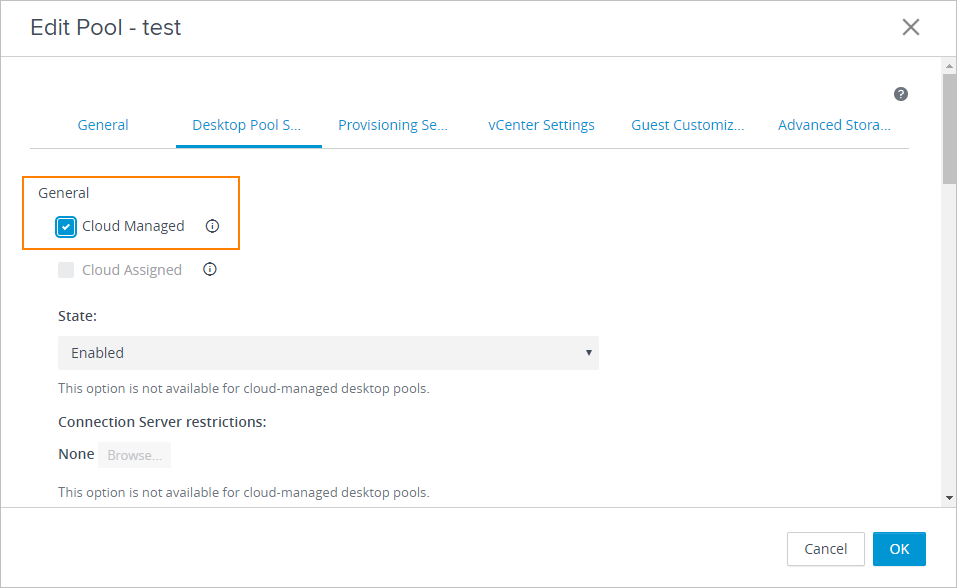
Click the Desktop Pool Settings tab and specify the following settings.
- For State, select Enabled.
- For Connection Server restrictions, click Browse, select No Restrictions, and then click Submit.
- Under General, select Cloud Managed. Universal Broker only recognizes desktop pools marked as Cloud Managed.
-
To save the configuration and close the Edit Pool wizard, click OK.
-
Remove all local entitlements from the desktop pool by selecting the pool on the Desktop Pools page and selecting Entitlements > Remove Entitlements.
-
If this pool is a dedicated desktop pool, remove any user assignments from the virtual machines included in the pool.
For the steps, refer to Desktops and Applications in Horizon in the Horizon 8 documentation.
What to do next
Now that the desktop pool is configured suitable for use in a multi-cloud assignment, proceed to Horizon Pods - Create a Multi-Cloud Assignment of VDI Desktops.
Was this page helpful?