AD FS requires the Omnissa Access identity provider (IdP) metadata for federation. The IdP metadata describes the capabilities and requirements of Omnissa Access as a trusted identity provider.
Procedure
-
Log in to the Omnissa Access console with full administrator privileges.
-
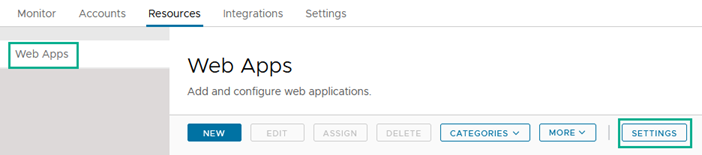
Select the Resources > Web Apps page.
-
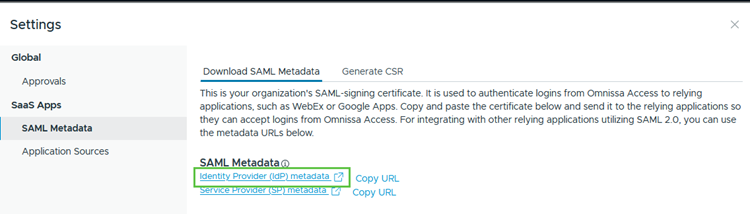
Click Settings and then select SAML Metadata.
-
Under the SAML Metadata section, click the Identity Provider (IdP) metadata link to open a new window displaying the contents of the SAML metadata .xml file. Right-click in the window and select Save as to save the contents to a .xml file on your computer.
-
Close the Settings page.
What to do next
Was this page helpful?