Omnissa Connect has a Health & Environments tile upon login for both on-premises and SaaS deployments that you can use to upgrade Omnissa Workspace ONE UEM, sign and renew Workspace ONE UEM certificates, view Omnissa product statuses, and view and manage your team members.
Note: If you are using the legacy MyWorkspaceONE for the scheduling of upgrades or for certificate signing, the system redirects you to Omnissa Connect.
Health & Environments page
Access the Health & Environments tile in Omnissa Connect on the Home page, in the Resources area. 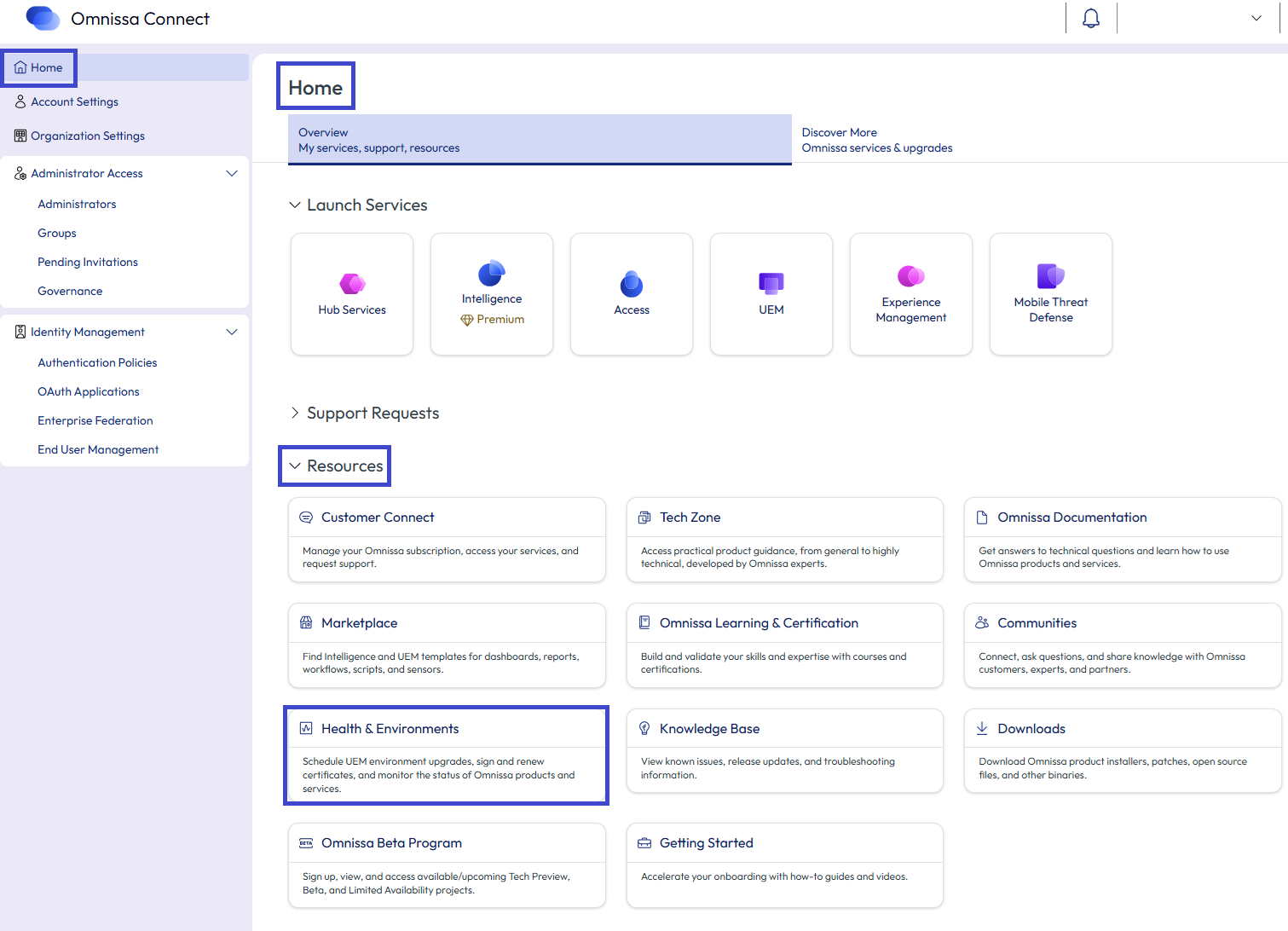
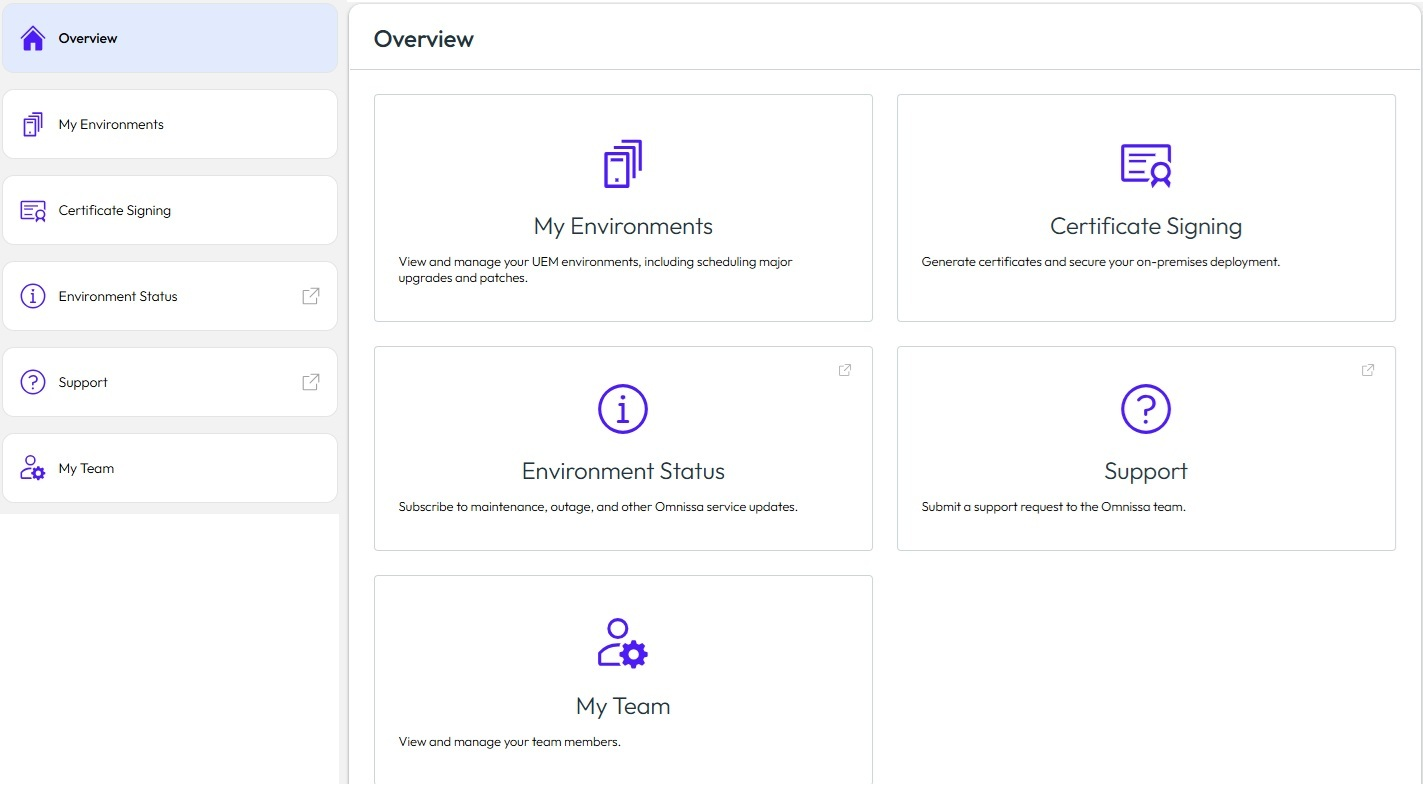
The system SSOs you into the Health & Environments page where you can access the following capabilities.
- My Environments: Scheduling of upgrades to install patch and version upgrades for your Workspace ONE UEM commercial SaaS environments.
- Certificate signing: Certificate features required for Workspace ONE UEM on-premises installation.
- Also, access the renewal of SSL certificates for Workspace ONE UEM-managed, hosting SaaS environments.
- Environment Status: See Omnissa service or product status information.
- Support: Takes you to Customer Connect to create a non-technical support request, to be addressed by the Global Customer Service team.
- My Team: View and manage your team members.
Further documentation and support
Find detailed information about Health & Environment capabilities at the following sites.
- Team member management procedure
- Self-Service Team Member role management in Health & Environments
- Use this article for help on using the My Team feature to manage the users who can access the Health & Environments page.
- Self-Service Team Member role management in Health & Environments
- UEM upgrade and notification procedures
- How to use the WS1 Managed Hosting SaaS Upgrade Scheduler via Omnissa Cloud Services - Health & Environments
- Review this article to learn how to use the Hosting SaaS Upgrade Scheduler to upgrade your UEM environment.
- Workspace ONE UEM Upgrade Status Notification Email
- Read this article to see how the current UEM event status mechanism communicates with you, through notification email and the Health & Environments system.
- How to use the WS1 Managed Hosting SaaS Upgrade Scheduler via Omnissa Cloud Services - Health & Environments
- Certificate sign and renew procedures
- Generate Installation Token in Certificate Signing Portal
- Use this article when you have an on-premises deployment and you must generate an installation token in the certificate signing portal.
- Customer Domain SSL Certificate Renewal for Workspace ONE UEM
- Use this article to help with renewing your domain SSL certificates for UEM-Managed Hosting SaaS environments.
- Generate Installation Token in Certificate Signing Portal
Was this page helpful?