Use the User Audit Report page in Omnissa Connect to view a running log of events that you can export as CSV files. Filter and use the list to help you analyze and troubleshoot events in your Connect service.
Types of events in the audit log
The User Audit Report lists events for Omnissa Connect. This audit log does not display events for other Omnissa products.
For a current list of available event types, review the All event types drop-down menu on the User Audit Report page. Types of events include the listed data.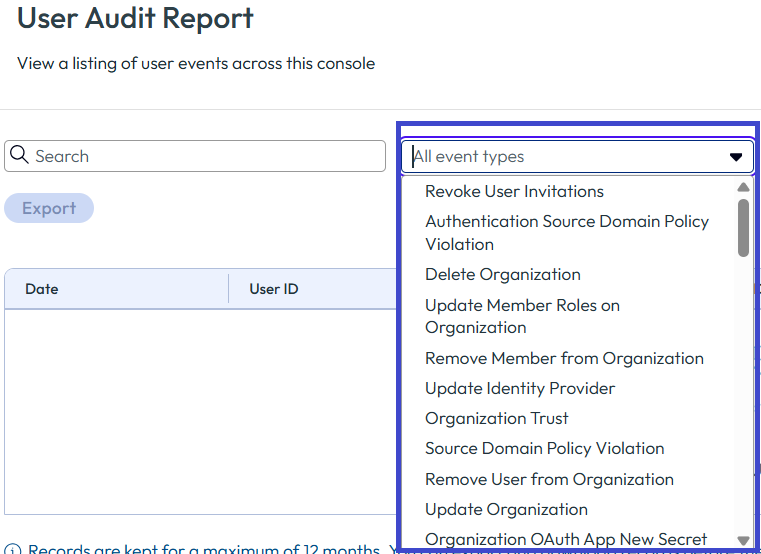
- Authentication
- Examples: User login, generate access token, and generate API token.
- Organization and role assignment
- Examples: Create organizations, invite users, and update user roles in organizations.
- User
- Examples: Activate MFA, update user, and revoke API token.
- Sign up
- Example: Complete registration.
- Federation
- Examples: Register new identity provider (IdP), add a connector, and remove an IdP.
- OAuth client
- Examples: Create, update, and delete OAuth clients.
Event time zones
Events are recorded in UTC and then the system converts them to your local time zone.
Filter time ranges
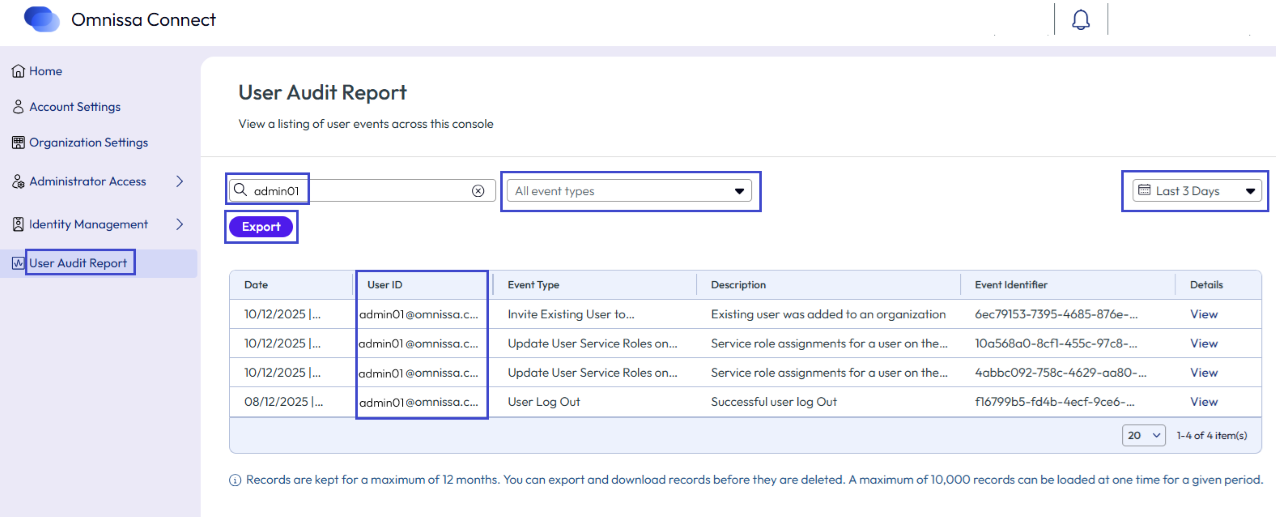
You can filter the log list using the range drop-down menu. Some ranges are obvious, for example if you use the Last 3 Days or Last 7 Days filters, the system displays all events occurring during the last 3 or 7 days.
If you use the Last 14 Days or Last 30 Days filters, the list displays events for the last 14 or 30 days and it has 13 or 29 days of recall to search for specific events within that displayed list.
If you use the All Time filter, the list displays the events for the last year.
Use the Custom Range filter to select specific dates and times to display events in the list that occurred during the selected range.
Search for and export events
To help with finding specific events, you can enter a person's email or you can use the event types drop-down menu option to narrow the list. You can export the list using the Export button on the User Audit Report page. The report downloads as a CSV file.
View, copy, and export specific events
Select View to see details about an event like IP addresses, organization IDs, the event name, and initiating request information. This window offers content that you can copy into a file of your choosing or export as a CSV file using the Export menu option.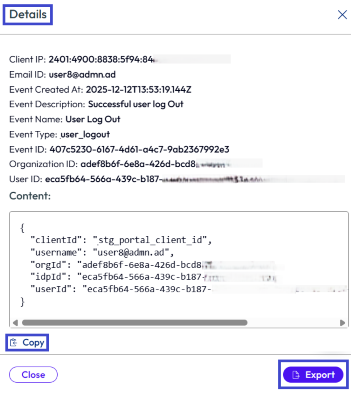
User event auditor role
We added a new Organization Role for this feature called the User event auditor that you can assign to admins by adding or editing an admin. This role can access the User Audit Report page and can generate audit reports.
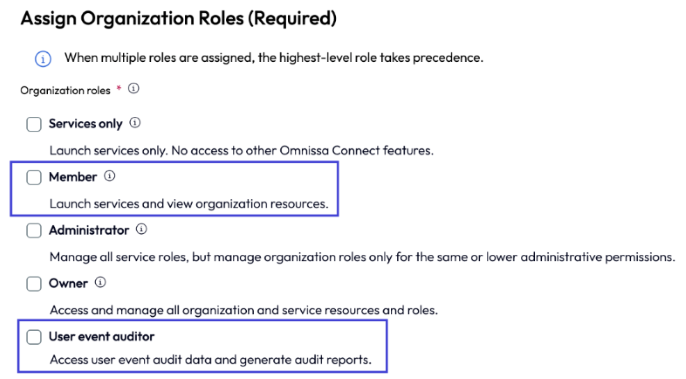
When you assign this role to a user, the user is also assigned the Member role so that the user can launch services and view organization resources to help analyze events listed on an organization's applicable User Audit Report page. For details about roles in Omnissa Connect, see the topic Roles.
Example: See when Service roles were modified
As an example of how to use the User Audit Report page, let's look at a use case where an Owner or User event auditor wants to know when an admin's Service roles were modified in an organization. The admin's name is Admin 01 and their email is admin01@omnissa.com. The organization uses the Omnissa Intelligence and the Omnissa Horizon services.
For this use case, the Owner or the User event auditor can look at the event type Update User Service roles on Organization.
- Go to the User Audit Report page.
- Change the time range filter to All time to widen the scope of the search.
- Enter the admins email in the Search text box.
- In the Event Type column of the table, look for the Update User Service Roles on Organization event. You can also use the All event types text box by selecting this event type to filter the table.
Four Service role events were triggered in December for Admin01@omnissa.com. Use the View menu option for the events to see what Service roles were updated and when. Looking at the four events, you discover that the admin was given two Service roles, Intelligence and Cloud (Horizon) in the month of December.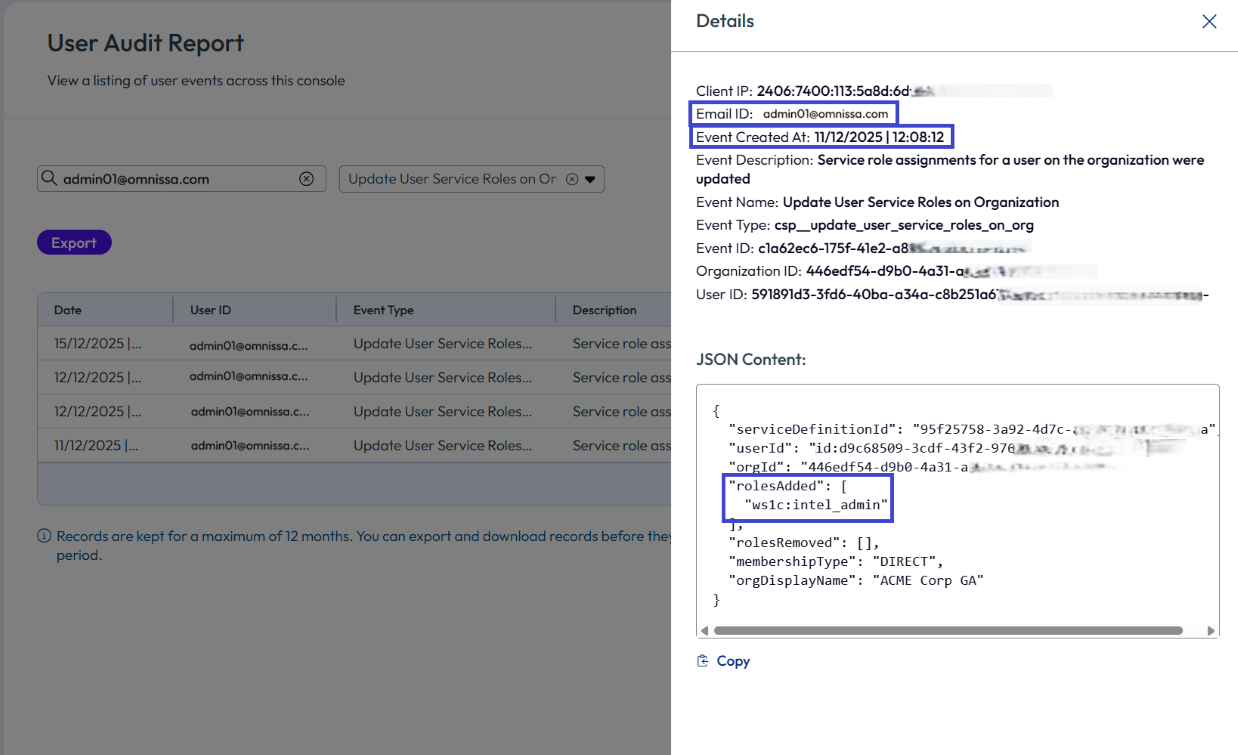
You can export all the events or export single events for further analysis.
Looking at Admin01@omnissa.com's admin record, you see that this person is assigned the Super Admin Service role. This person can perform all tasks in both the Intelligence and Horizon services. You can edit their Service roles so that the admin can only perform those tasks that are appropriate to their roles in the organization.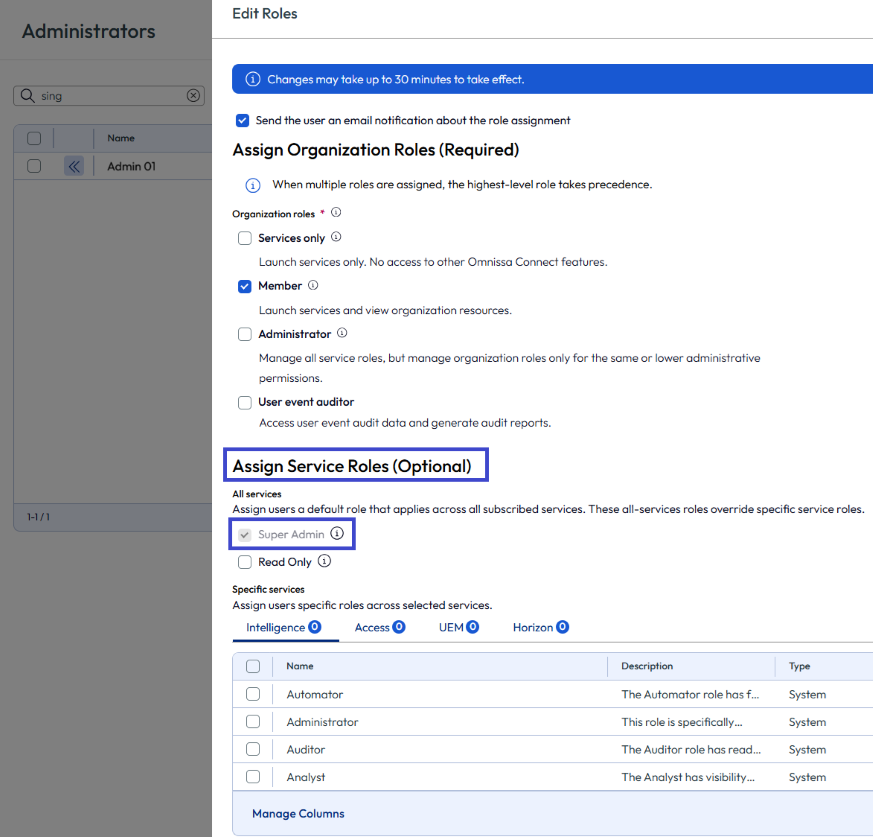
Was this page helpful?