If an agent VM is listed an unavailable and the VM is in a powered ON state, you can use the agent re-pair mechanism to reestablish connectivity between the agent and the Horizon Control Plane.
The mechanism re-establishes the connection between the agent and the Control Plane for the selected VMs.
Note: If necesary, you can also reinstall the agent for the specific VMs in the pool by using the UI or the API/CLI. In the case of single pool selection, you can provide arguments and toggle the required agent features to reinstall. In the case of multiple pool selection, you can also select different reinstall configurations.
The re-pair capability requires that the selected VMs are powered on and that they are using HAI (Horizon Agent) version 25.1 or greater.
Procedure
-
From the Horizon Universal Console in Horizon Cloud, navigate to the Pools Groups page and click the VMs tab. Verify that the VM that you want to address is powered on and that its Agent Status is Available. Note the Agent Version value of the VM.
-
Select the VM using the checkbox in the first column of the VM row.
-
(Optional) If you have another VM to re-pair which meets the same qualifications described above, you can select it now and repeat step 3.
-
Click Agent and then select Re-pair from the drop-down menu of options. Note that the other option in the drop-down menu is Reinstall, which you are not selecting.
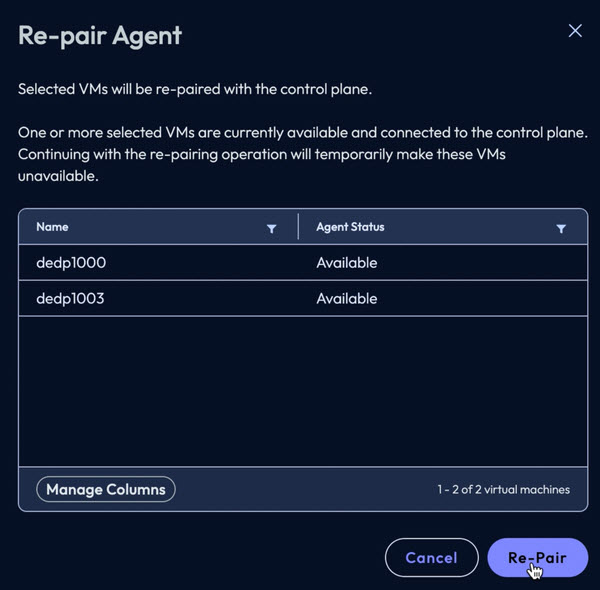
The Re-pair Agent page appears as below. In this example, two VMs (named dedp1000 and dedp1003) were selected.
-
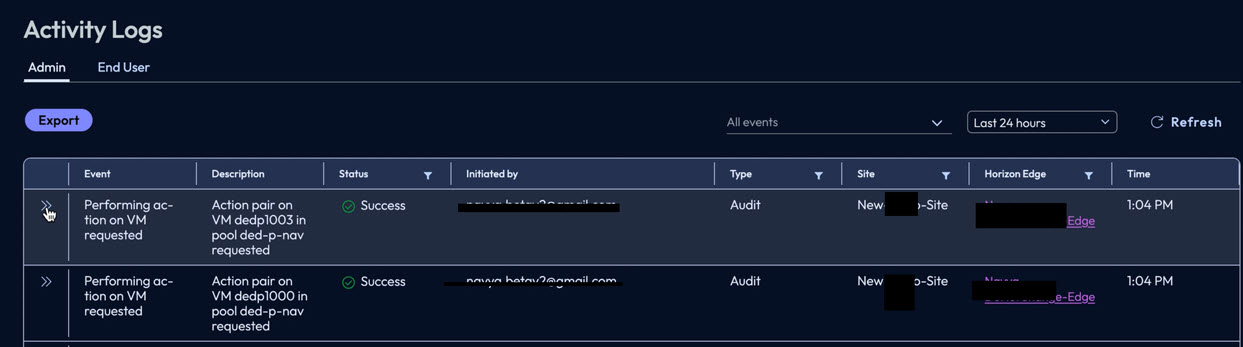
In response to the subsequent on-screen message Initiated request to re-pair agent. View the status in Activity Logs., click Activity Logs in the message to navigate to the Activity Logs page. Note that the page can also be accessed by clicking Monitor > Activity Logs in the left pane navigation.
A portion of the Activity Logs page is shown below, containing the two selected VMs.
-
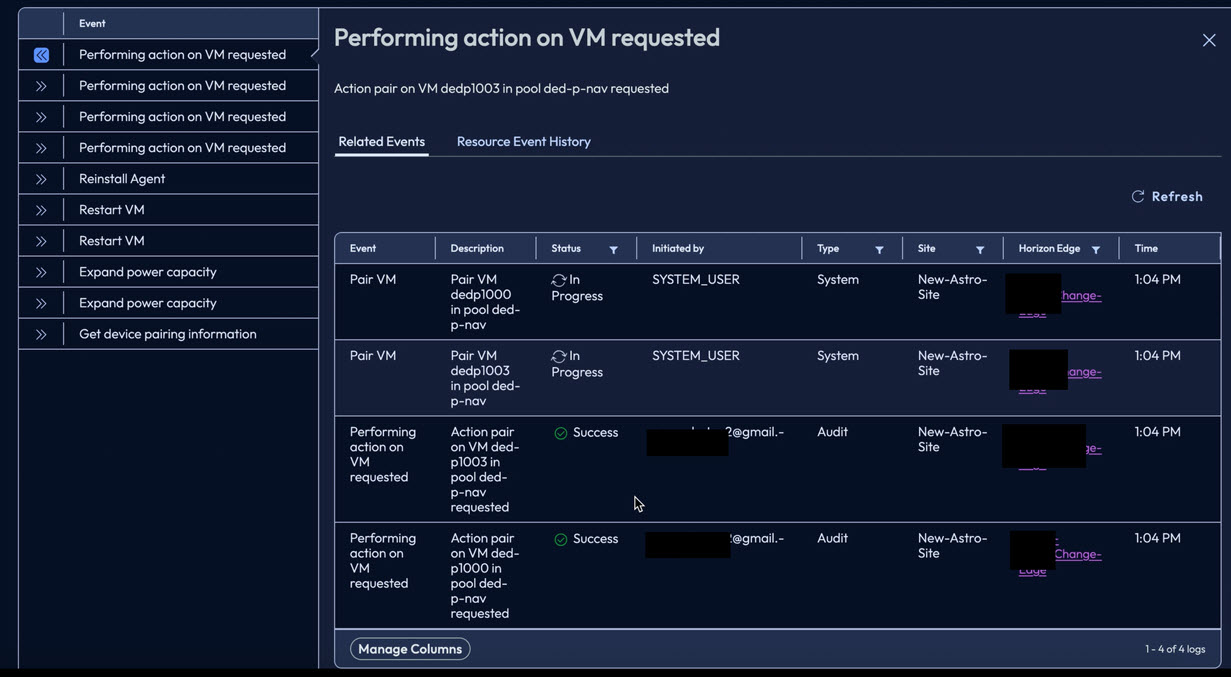
You can expand a log entry row to view related events and take further action.
Expansion for one of the two VMs is shown below.
-
When the Activity Log indicates that re-pairing is successful for your selected VM or VMs, you can monitor the Activity page to verify completion of the agent re-pairing.
Was this page helpful?