If you have multiple Horizon Edge deployments, to replicate a captured or imported application package from one Horizon Edge to another, you must manually copy the packages from the file share of the source Horizon Edge to the file share of the destination Horizon Edge.
Prerequisites
In Horizon Cloud, identify a captured or imported application package to replicate.
Procedure
-
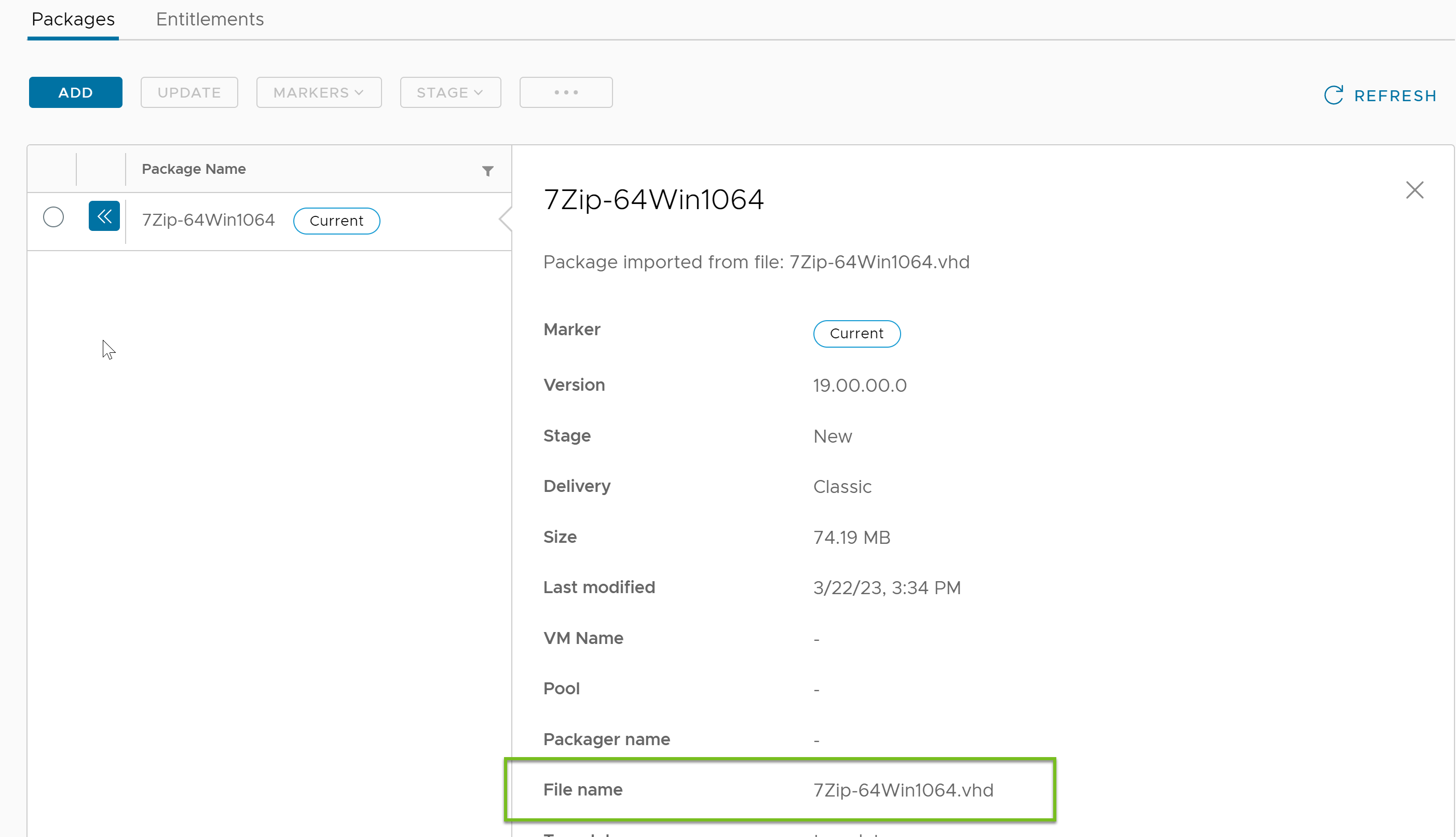
Obtain the filename of the application package that you intend to replicate.
-
In the Horizon Universal Console, navigate to Desktop and App Catalog > App Volumes.
A list of applications is displayed.
-
Click the application that has the package you want to replicate.
-
Click the double arrow left icon of the desired package.
Package details screen is displayed.
-
Make a note of the filename (filename.vhd).
-
-
EDIT Go to the cloud service provider's portal and locate the staging file share that contains the
.vhdand.jsonfiles of the application file name noted in one of the previous steps.For more information, see the Prerequisites in Add an App Volumes Application by Importing an Existing Application Package.
-
Copy the files from
appvolumes/packages. -
Upload the copied files to the staging file share of the destination Horizon Edge at
appvolumes/packages.
Was this page helpful?