You can configure the Auto Logout setting in Hub Services to automatically log users out of the Intelligent Hub web portal when their session expires or remains idle for a certain duration. You can customize the idle timeout duration.
Users are taken to the login page after they are logged out.
If Auto Logout is not configured, the session expires after 8 hours.
Considerations
- Automatic logout is supported for the Hub web portal only.
- When a user has multiple tabs open, idle activity is tracked across all open Hub Web portal tabs.
- You should be aware that if your authentication policy auto-triggers login after logout (for example, with certificate-based authentication or Kerberos), the session is recreated immediately after automatic logout. This is expected behavior.
Procedure
-
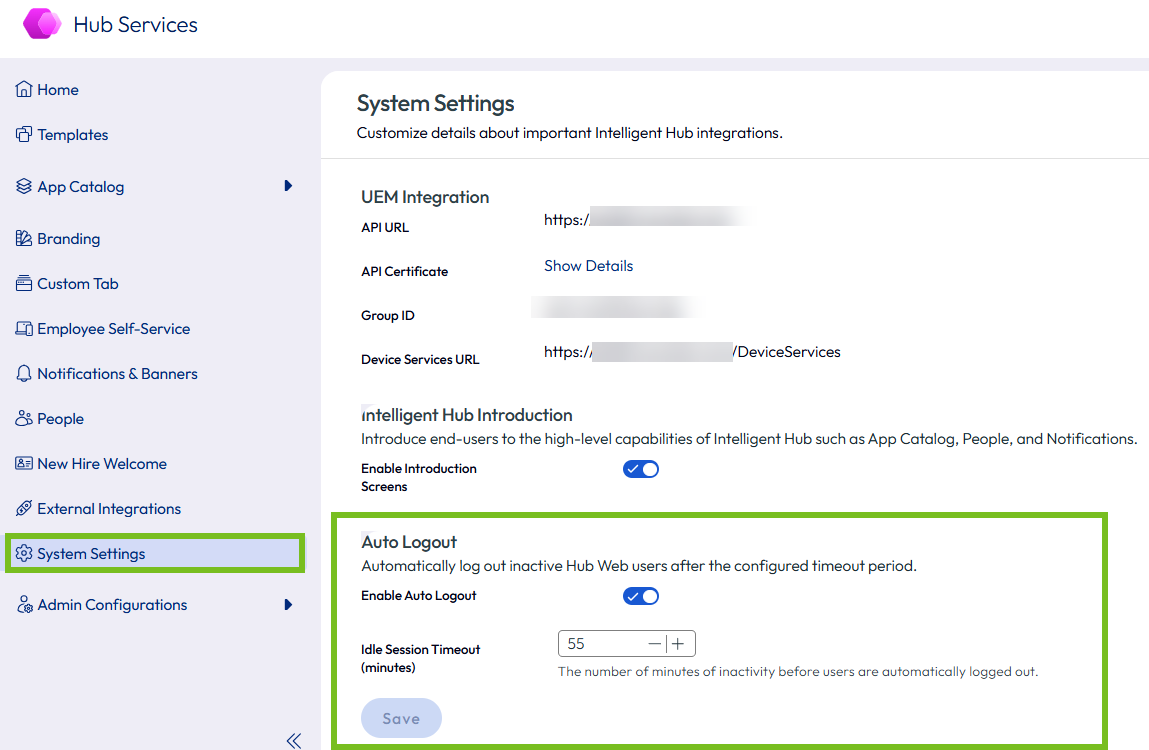
In the Hub Services admin console, select System Settings in the left pane.
-
In the Auto Logout section, toggle Enable Auto Logout to on.
-
Set the Idle Session Timeout (minutes) to the desired value.
- Default: 60 minutes
- Accepted range: 1–480 minutes
For example:
-
Click Save.
Changes take effect after a browser refresh. Active sessions are not immediately affected.
Was this page helpful?