If you need to recall a notification due to errors, incorrect information, or any other reasons, you can delete it using the Hub Services console. Deleting a notification removes it from both the user’s device and the Hub Services console.
Only super admins can delete notifications from the Actions column in the Notifications list.
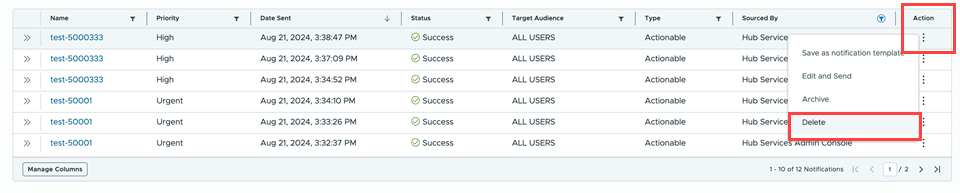
The status in the Notification list for a deleted notification displays as Delete Pending until all notifications are deleted. When the notification is deleted across all users, the notification is removed from the list.

If the status changes to Failed, the notification that you deleted might not have been removed from all devices. Select the notification and delete again.

You cannot delete notifications that are currently being sent or those that are archived.
Was this page helpful?