Users can access their apps, and install web, mobile, and virtual applications that they are entitled to. Web and virtual apps can be opened directly from the user's portal. Native apps, such as iOS and Android apps, are launched from the device springboard.
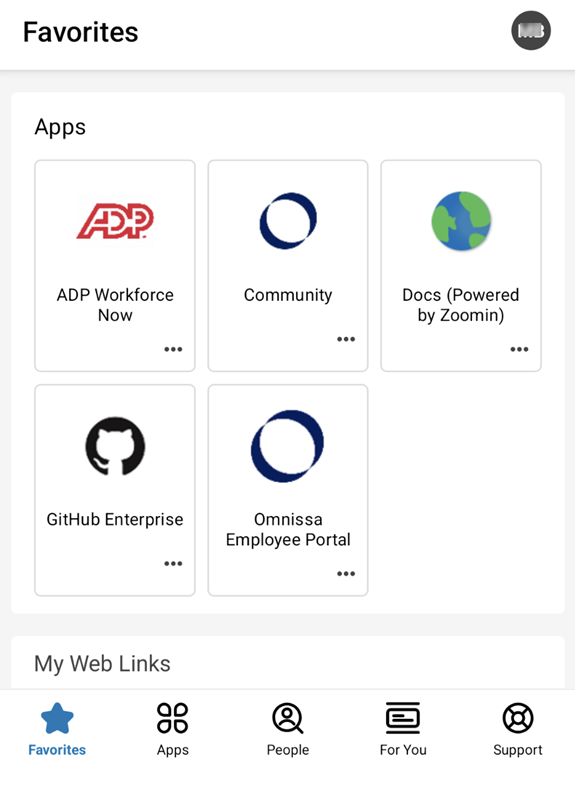
The catalog page layout that you configured in Hub Services displays when users open the Workspace ONE Intelligent Hub app on devices or in Hub portal view. Apps that end users cannot access due to assigned conditional entitlements may appear greyed out and feature a lock icon or may not be visible in the app catalog, depending on the conditional entitlement policies you created in Customize the Workspace ONE Intelligent Hub App Catalog in Hub Services.
In the Workspace ONE Intelligent Hub app view, any apps or categories you selected to promote are displayed at the top of the Apps pane view. New apps display in the new apps section. When apps are organized into logical categories, these categories are displayed. People, Notification, and Support tabs are in the navigation pane.
Note: Apps and desktops from Horizon Cloud Service on Microsoft Azure with Universal Broker is not available for a Omnissa Access tenant that has Omnissa Identity Service enabled. See the Unsupported Workspace ONE Features topic in the Configuring User Provisioning and Identity Federation with Omnissa Identity Service guide.
Workspace ONE Intelligent Hub Browser View
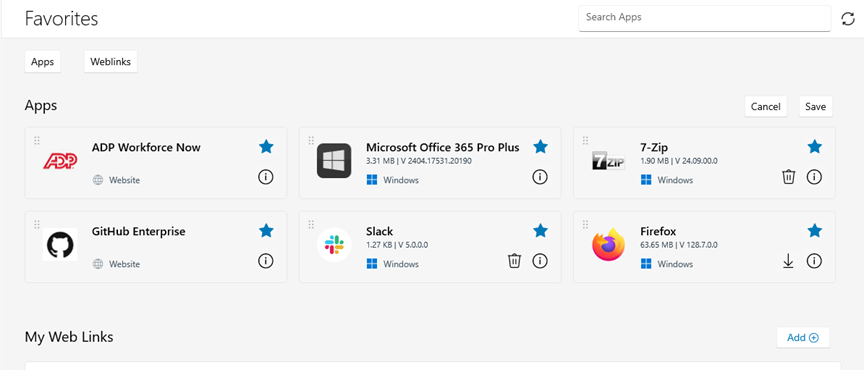
In the Workspace ONE Intelligent Hub view from a browser, the navigation tabs are at top of the page along with the search bar to search for app. If you enabled Favorites, the Favorites tab displays before the Apps tab.
When viewing apps in the browser, users might see App Bundles, which are collections of related applications grouped together. App Bundles are identified by an "App Bundle" indicator on the tile. Users can select a bundle to view the available component apps and choose which version or platform to launch. If a user sets a default component app, that app launches automatically when the bundle is selected.
Workspace ONE Intelligent Hub for Windows View
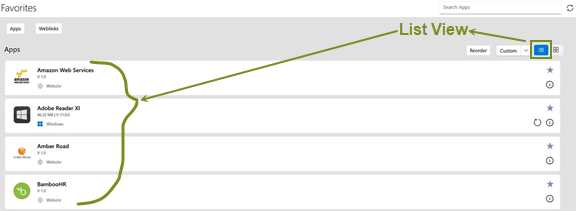
Workspace ONE Intelligent Hub for Windows supports list and grid views, while the search results support long application names.
- End users can easily switch between list view and grid view.
- List view improves visibility and navigation, especially in environments with large application catalogs, easing the end user experience of browsing for applications.
- Search results display application names with limited truncation required, easing the end user experience of distinguishing similarly named apps.
These features are particularly helpful for organizations with large and complex application portfolios, where long application names and dense catalogs can make discovery and navigation more difficult.
Terms of Use for Applications
Users are prompted to accept the TOU when they install an app from the Hub app catalog and when the TOU is revised after the app is enrolled. If users do not accept the TOU, the application is not installed. If users do not accept a revised TOU within the configured grace period, the application is uninstalled from the device.
Users are notified of revised Terms of Use with a banner in the Intelligent Hub application.
Was this page helpful?