Before you can create and publish banners in Workspace ONE Hub Services, you must first enable the banners feature in Global Settings. This is a one-time configuration step that activates banner functionality across your Workspace ONE Intelligent Hub environment.
Prerequisites
- Administrator access to the Hub Services console
Procedure
-
Log in to the Hub Services console.
-
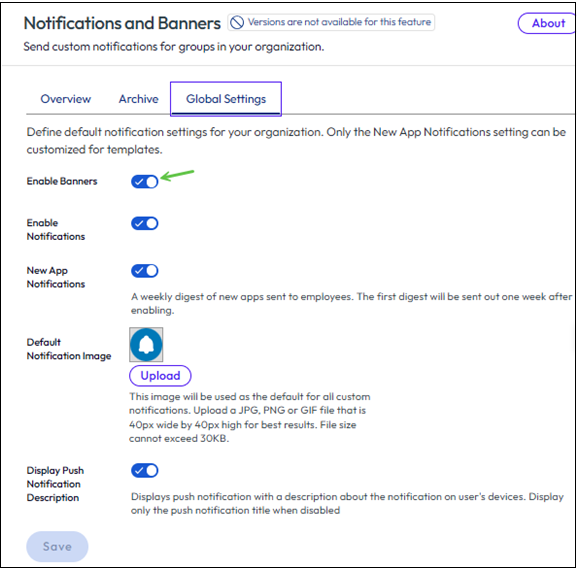
Starting in the left pane, navigate to Notifications & Banners > Global Settings.
-
Toggle on Enable Banners.
-
Click Save to apply the changes.
Results
The banners feature is now enabled.
What to Do Next
After enabling banners in Global Settings:
- Create your first banner by following the steps in Create a Banner in Workspace ONE Hub Services.
- Publish the banner to display it to end users.
Related Topics
Was this page helpful?